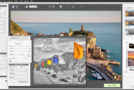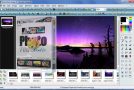
Photomatix lets you create composite photos from multiple shots of the same subject and angle, but with varying contrasts. Depending on the contrast, certain elements in the photos will stand out more, and the application offers to combine these shots to keep the important elements in focus. Take several photos using your camera's "Bracketing" option to obtain multiple images with different exposures. Then simply import them into the program and combine them for a more dynamic photo.
Photomatix Pro
– Standalone application + Plugin for Lightroom
– Create HDR images and options to achieve the desired effect, from 'natural' to artistic. Select a style and adjust the effect with a wide range of settings.
– HDR image assembly, tone mapping, and fusion
– Automatic alignment of hand-taken photos
– "Ghost" correction tool with automatic and advanced options
– Automation with batch processing
Configuration:
– Windows: Windows XP, Vista, 7, 8 (non-RT) or 10
– Processor: Dual-core 2.2 GHz processor
– 2 GB of RAM minimum
– 1 GB of available disk space
Facility:
Install and then activate the software using the code provided in serial.txt
- Language: French
- Size: 31.6 MB
This article was updated on September 15, 2016