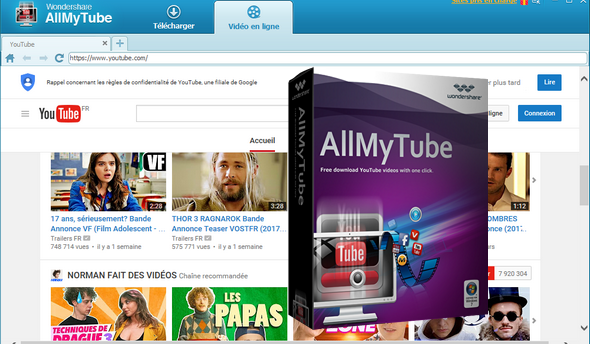
Download videos not only from YouTube, but from thousands of video sharing sites like YouTube, Hulu, TED, ABC, MTV, CBS, Yahoo Video, BBC, VH1, ESPN, CBS, WatTV, NBC, The NY Times, etc.
Before downloading a YouTube video, a drop-down menu allows you to select your preferred resolution.
Read and manage downloaded and existing videos.
Resume the download from where you left off previously.
Download and convert in one click allows you to automatically convert to your preset format (AVI, MP4, etc.) and batch download allows you to download multiple videos simultaneously, to save time.
Different ways to download
Download via the Download button:
Detect the video automatically when it starts playing.
Download the video by clicking the button » Download » at the top of the video opened in IE, Firefox or Chrome.
Copy and paste the URL:
Copy the video URL, and then click the button » + Paste the URL » to download the target video.
Raw recording:
Record a streaming video (e.g., Netflix, Hulu Plus) by launching Video Recorder.
150+ Video Formats at Your Fingertips
Convert YouTube videos to the most popular video formats:
Convert downloaded videos to MP4, AVI, MPG, MKV, WMV, M4V, MOV, ASF, DV, etc.
This is the all-in-one video converter for YouTube!
Convert online videos for multiple devices:
Convert downloaded videos to video formats optimized for iPhone 5,
iPad mini, iPad 4, iPod Touch 5, PSP, Android phones, etc.
Extract the original audio from YouTube:
Get the audio from the videos and save them as MP3, M4A, AC3, AAC, WMA, WAV, OGG, APE, MKA, AU, AIFF, FLAC, M4B, etc.
Read and manage downloaded and existing videos
Integrated video player:
Double-click on a video in the Library » Downloaded » to play it.
Manage existing videos:
Supports importing local MP4, FLV, and WebM videos for management.
or even for conversion to other popular video/audio formats or for devices.
Share the videos on Facebook and Twitter:
Click on the Facebook or Twitter icon in the library to share videos with your friends.
Instant wireless video transfer to portable devices
AllMyTube allows you to directly transfer downloaded videos from your computer to your devices
Using Android or iOS via your Wi-Fi network, you can enjoy downloaded videos directly on your portable device without having to connect a USB cable, and without risking a file transfer error.
Supported formats
Input format:
MP4, FLV, WebM
Output format:
Video Formats: MP4, AVI, MPG, MKV, WMV, M4V, MOV, ASF, DV, 3GP, 3GP2, WEBM, MPE-1, MPEG-2, DVD, DIVX.
Audio Formats: MP3, M4A, AC3, AAC, WMA, WAV, OGG, APE, MKA, AU, AIFF, FLAC, M4B, M4R.
Apple devices: iPod (including iPod Touch), iPhone (including iPhone 5), iPad (including iPad 4 and iPad mini), Apple TV.
Mobile Devices: Motorola phones, Samsung phones, HTC phones, LG phones, Sony Ericsson phones.
Video game consoles: PSP, PS3, PS3 HD, Xbox 360, Xbox 360 HD, Wii, NDS.
Configuration:
– Windows (32-bit & 64-bit): XP, Vista, 2003, 7, 8, 8.1, 10
– 500 MHz processor
– 512 MB of available RAM
– 1024×768 compatible video card
– 100 MB of free hard drive space for program files.
Facility:
1. Install the program by launching the file "youtube-downloader_full235.exe".
2. Disable the Internet (precaution to avoid being "blacklisted").
3. Save using the information from the "Licence.txt" file.
4. Reactivate the internet.
- Language: Multilingual (French included)
- Size: 34.7 MB
This article was updated on September 19, 2016