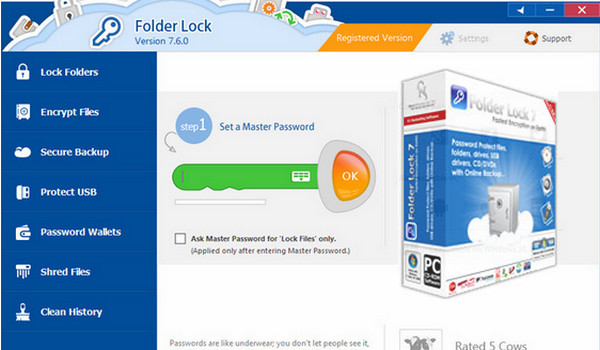
Win. Folder Lock is a file security software that can password protect, lock, hide and encrypt any number of files, directories, disks, images and documents in seconds.
Protected files are invisible, non-erasable, inaccessible and highly secure; it hides files from children, friends and colleagues, and puts them out of reach of viruses, Trojans, worms and other spyware; it even protects them from networked computers, cable users and hackers.
Files can also be protected on USB drives, flash drives, CD-RWs, floppy disks, and laptops. The protection works even if files are moved from one PC to another via removable media, without needing to install the software on the device.
It locks files under Windows, under DOS, and even in Safe Mode.
It includes additional options such as Stealth Mode, monitoring for hacker attacks, automatic locking, automatic shutdown, erasure of traces, 256-bit encryption in Blowfish, context menus in Explorer.
It works under Windows XP/2000/NT/Me/98 and with all types of disk formatting.
Configuration:
– Windows: XP, Vista, 7, 8, 10
– P4 3GHz processor
– 1 GB of RAM available
– 40 MB of free disk space
Facility :
1. Install Folder Lock but do not launch it!
2. Go to C:\Windows\System32\drivers\etc\hosts (Edit the hosts file)
3. Add these lines:
127.0.0.1 www.newsoftwares.net
127.0.0.1 www.password-protect-folders.net
3. Generate a key using the keygen
4. Register the application
- Language: French
- Size: 9.98 MB
This article was updated on September 20, 2016