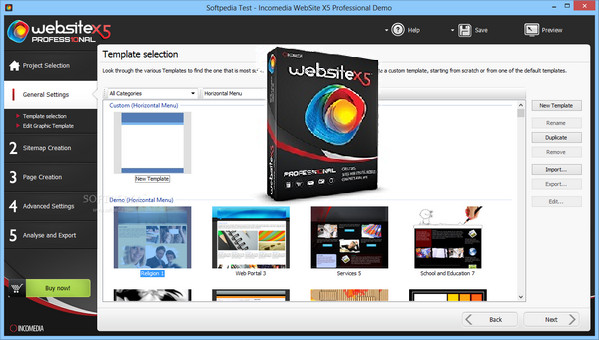
WebSite X5 Pro provides you with a range of professional tools to create your websites, blogs or online stores.
Step by step, you are guided in their development, modification, but also in the aesthetic aspect.
To sell your products, you have the option to import your list and create a catalogue.
Ideal for businesses and web agencies.
– Unlimited projects
– 1,000 Graphic Templates
– Multimedia and Dynamic Content
– Free FTP Engine and Web Hosting
– Premium Advanced Features
– Premium e-commerce shopping cart
– Search Engine Optimization and Project Analysis
– Premium Responsive Websites
– Premium Online Control Panel
– Mobile App
Configuration:
– Windows (32/64 Bits): Vista / 7 / 8.1 / 10
– Processor: Intel or AMD 2 GHz processor
– RAM: 1 GB of memory
– Graphics: Video resolution 1024×600
– Disk space: 550 MB of available disk space
– Sound card: DirectX compatible sound card
Facility:
1- Turn off your internet connection during installation.
2- Execute the wsx5_pro.exe from the Incomedia WebSite X5 Professional 12.0.9.30 folder.
3- Follow the installation procedure.
4- An activation window opens at the end of the installation…
5- License activation: Launch the Keygen kg.exe.
6- Choose the version of your software to activate from the Edit menu.
7- Choose your language in Language.
8- In Email, choose an email address of your choice.
9- Copy your license key into the activation window (License Key).
10- Copy your email address previously entered into the keygen.
* The activation software will tell you that online activation is not working.
11- Click on next to return to the manual activation window.
12- Enter your unlock code.
13- Make a copy of the Incomedia WebSite X5 Professional 12.0.9.30 folder before starting the installation of your software.
This way your folder will not be modified for sharing.
- Language: Multilingual (French included)
- Size: 323.1 MB
This article was updated on September 25, 2016