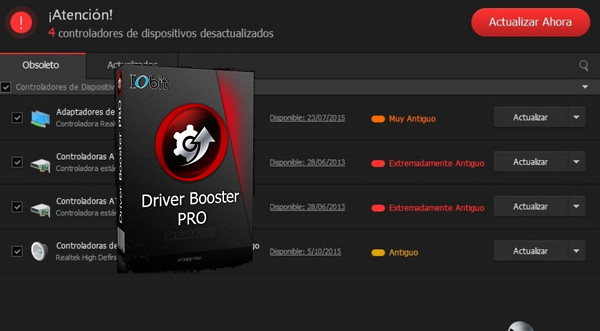
IObit Driver Booster scans your PC and tells you if any device drivers are outdated. If so, the application automatically downloads and installs them after setting a system restore point before any action is taken.
All these operations are performed with a single click, saving you valuable time and making your PC more stable. Furthermore, IObit Driver Booster configures drivers to deliver optimal rendering and performance for gamers.
This version supports all editions of Windows from Windows XP up to the update. Windows 10 AnniversaryIObit Driver Booster has a database of over 400,000 drivers and a new compression algorithm allowing for increased download and installation speeds.
Finally, IObit Driver Booster offers improvements to its interface and features, such as the Toolbox and Backup, in this latest version.
Configuration:
– Windows (32/64 bit): XP, Vista, 2003, 7, 8, 8.1, 10, Server
– P4 3GHz processor
– 1 GB of RAM available
– 150 MB of free disk space
Facility :
Add this to your host file C:\Windows\System32\drivers\etc\hosts
127.0.0.1 idb.iobit.com
127.0.0.1 asc55.iobit.com
127.0.0.1 is360.iobit.com
127.0.0.1 asc.iobit.com
127.0.0.1 pf.iobit.com
Or, you can use the file " Block.bat » in the file « keygen_v4.x"
1- Launch the installation of your software and click on " Accept and Install"
2- When prompted to subscribe to the Newsletter, enter a fake email address and click on " Subscribe"
3- Click on " Analyze now and let the scan complete
4- In the bottom right corner, click on " Enter the license"
5- Now, use the keygen in the folder " keygen_v4.x and generate a license key
6- Copy and paste it into the license key window of your software and click on " Enable"
7- A new window will open informing you that your license has been successfully activated
- Language: Multilingual (French included)
- Size: 15.0 MB
This article was updated on October 11, 2016