Blurry images are a universal part of our lives. There are many causes:
Shaky camera, defocus, or rapid object movement.
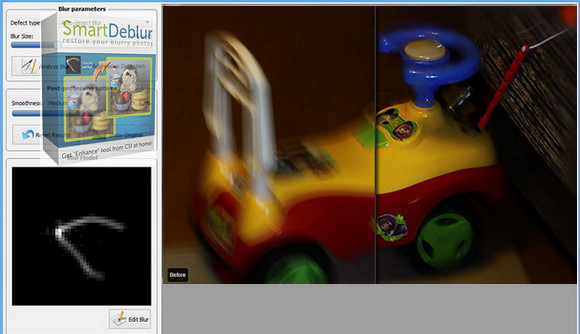
Here we present SmartDeblur, an easy-to-use tool with comprehensive features, designed to eliminate blur and recover details.
SmartDeblur can remove different types of blur:
– Complex motion blur
– Gaussian blur
– Out-of-focus blur
SmartDeblur has a user-friendly and simple interface, with built-in help and examples.
Simply upload your blurry image and click the "Analyze Blur" button - the rest will be done automatically!
SmartDeblur also has many advanced options to refine the results obtained:
– Kernel editor
– Selection of the manual analysis region, etc.
Configuration:
– Windows (32/64Bits): XP, Vista, 7, 8, 8.1, 10
– Processor: 1 GHz or higher
– RAM: 2 GB or more
– Disk space: 500MB or more
Facility :
(Important: This is a false positive) and not malware.
1. Install SmartDeblur-2.2_win.exe
2. Do not launch the software at the end of the installation.
3. Launch Smartdeblur v.2.2_Patch.exe
4. Click on Patch
5. Go to the installation folder, usually C:\Program Files (x86)\SmartDeblur
6. Choose SmartDeblur.exe
7. Successfully Patched!
8. Do not perform an update
- Language : English
- Size : 16.3 MB
This article was updated on October 22, 2016