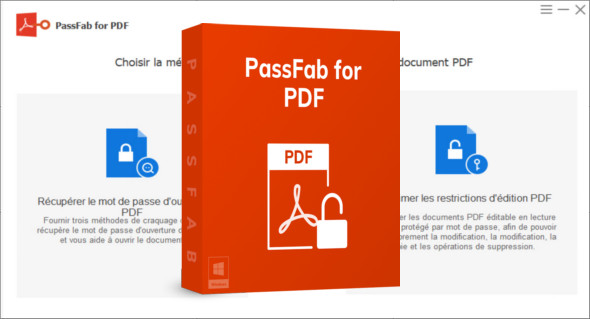
PassFab for PDF is software designed to solve this problem by allowing easy recovery or removal of passwords from PDF files.
Thanks to its intuitive interface, advanced algorithms and optimal performance, PassFab for PDF is the ideal solution for professionals and individuals wishing to quickly regain access to their locked documents.
Why choose PassFab for PDF?
PassFab for PDF stands out for its ease of use, speed, and efficiency. It offers advanced methods for recovering forgotten passwords or removing restrictions on PDF files.
- Fast and efficient PDF password recovery
- Remove PDF restrictions in one click
- An intuitive interface accessible to all
- Compatible with all versions of PDF
- Advanced algorithms for optimized recovery
Whether you have forgotten the password for an important document or wish to edit a protected PDF file, PassFab for PDF helps you regain full access in minutes.
The main features of PassFab for PDF
1. Quick PDF Password Recovery
One of the main features of PassFab for PDF is the PDF password recovery thanks to advanced decryption techniques. The software uses three different attack modes to maximize the chances of recovering a forgotten password:
– Dictionary attack: Searching for the password from a database containing commonly used passwords.
– Brute force attack: Tests all possible combinations until the password is found.
– Brute-force attack with mask: Allows you to reduce recovery time by using known clues about the password (length, specific characters, etc.).
Thanks to these methods, PassFab for PDF offers fast and efficient recovery, even for complex passwords.
2. Removal of restrictions on PDF files
If a PDF file is protected against modification, printing or copying of content, PassFab for PDF allows you to remove these restrictions with one click.
– Instant unlocking of protected files
– Removal of editing and printing restrictions
– Free access to content without needing a password
This feature is particularly useful for professionals who need to edit or print protected PDF documents.
3. Intuitive interface and simplified use
PassFab for PDF is designed to be easy to use, even for novice users. Its intuitive interface allows you to recover or delete a password in just three steps:
- Import the locked PDF file
- Choose the attack method or the option to remove restrictions
- Launch the process and regain access to the document
No technical skills are required, making PassFab for PDF an accessible solution for everyone.
Why is PassFab for PDF the best solution for recovering a PDF password?
Many tools claim to offer effective password recovery, but PassFab for PDF stands out for its speed and reliability. Unlike other software, it uses advanced algorithms that guarantee a high success rate.
It also offers a clear and intuitive interface, making the user experience pleasant and accessible. Finally, its compatibility with all PDF versions and its quick restriction removal system make it an essential tool for anyone who needs to work with protected PDF files. You can also use PDF Password Remover.
Conclusion :
Whether you are a professional who regularly handles secure PDF files or a user who has forgotten an important password, PassFab for PDF is the tool you need.
Thanks to its advanced recovery methods, ease of use and universal compatibility, it allows you to quickly and securely regain access to your PDF documents.
Stop wasting time searching for a forgotten password or trying to bypass manual restrictions! Download PassFab for PDF now and regain full control of your PDF files in just a few clicks.
Version : 8.3.5.1
Language : Multilingual (French included)
Size : 45.75 MB
Configuration:
– Windows (x32/x64 Bits): 7, 8, 8.1, 10, 11
Download PassFab for PDF v8.3.5.1 + Portable
This article was updated on March 13, 2025