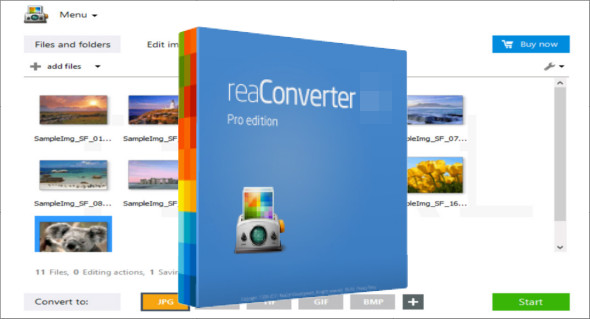
reaConverter Pro is a powerful and intuitive tool for converting, editing, and automating image processing. Designed for professionals, it supports over 600 graphic formats and offers advanced editing and automation features. Ideal for design, print, web, or archiving, it simplifies all your imaging tasks in just a few clicks.
Extensive compatibility with over 600 image formats
One of reaConverter Pro's greatest strengths is its ability to handle a vast array of image formats, from the most common (JPEG, PNG, TIFF, BMP, GIF) to specialized formats used in industries such as CAD, mapping, medical imaging, and professional printing. This versatility makes it a particularly suitable tool for users working in demanding and technical environments.
Whether you are working with RAW formats from digital cameras, vector images like SVG, or multi-page TIFF files, reaConverter Pro will handle your files quickly and accurately.
Powerful and customizable batch conversion
One of the software's key features is its ability to process a large volume of files simultaneously. Thanks to its optimized batch conversion engine, it becomes possible to convert hundreds or even thousands of images in a single process, while applying a series of automatic modifications according to your needs.
Here are some examples of actions that can be automated during conversion:
- Format change
- Resizing and cropping
- Adding watermarks (text or image)
- Rotation and mirror
- Adjusting colors, contrast, brightness
- Automatic renaming
- Background removal
This flexibility allows professionals to save considerable time in processing large image libraries.
Intuitive interface with advanced features
Despite its powerful features, reaConverter Pro stands out for its simple and user-friendly interface. Users can drag and drop files, organize their tasks, and apply edits via a clear menu system. Each step is guided, making the software accessible even to those who are not image processing experts.
For advanced users, reaConverter Pro also includes a scripting engine that allows for the automation of complex processes via custom commands. Integration with Windows command lines is also possible, which is very useful for use in a server environment or in automated deployment scripts.
Planned treatment management
Another important feature of reaConverter Pro is its Watch Folders function. You can designate a folder to monitor, and each time a file is added, the software automatically analyzes it, applies predefined processing, and exports the result to another directory. This function is ideal for automated workflows in professional environments where speed and consistency are paramount. You can also use Wondershare UniConverter.
Typical uses of reaConverter Pro
reaConverter Pro is aimed at a wide range of professionals and industries:
- Professional Photographers : for quickly converting and retouching large quantities of RAW photos.
- Printers : to prepare the images for printing in the correct formats.
- Webmasters : to optimize and resize visuals before publication.
- Archives Departments : to transform old files into modern and sustainable formats.
- Developers : to integrate the software into automated graphic production chains.
Performance and reliability
reaConverter Pro is renowned for its stability and speed. Even when processing large libraries intensively, the software remains smooth and reliable. The results are of high quality, and the software preserves important metadata such as EXIF, IPTC, and geolocation data, if needed.
In conclusion, reador Pro reaConverter Pro is much more than just an image converter: it's a true automated image processing platform that combines power, flexibility, and ease of use. With its broad compatibility, advanced automation features, and user-friendly interface, it perfectly meets the needs of demanding professionals. Whether you need to convert hundreds of images, quickly edit them, or integrate them into an automated workflow, reaConverter Pro is the tool you need to save time and boost your productivity.
Version : 7.851 Pro
Language : Multilingual (French included)
Size : 312.75 MB
Configuration:
– Windows (x86/x64 Bits): 7, 8, 8.1, 10.11
Download reaConverter Pro v7.851
This article was last updated on April 20, 2025