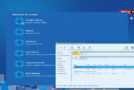

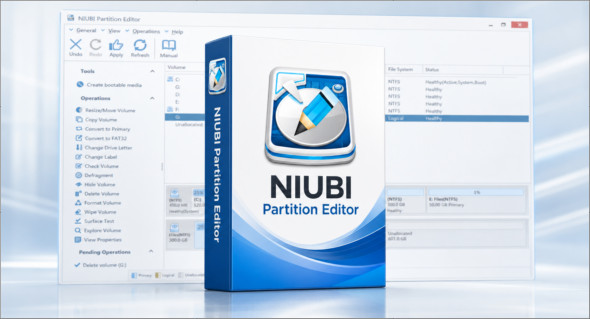
NIUBI Partition Editor NIUBI Partition Editor is a partition management software designed to help Windows users organize, optimize, and secure their hard drives, SSDs, USB drives, memory cards, virtual machines, and RAID environments. When the C drive becomes nearly full, the program allows users to resize, move, extend, or merge partitions to reclaim free space without reinstalling Windows or deleting important data. With its clear interface and drag-and-drop functionality on the disk map, NIUBI Partition Editor makes partitioning operations more accessible, even for users who are not IT maintenance experts.
One of the major strengths of NIUBI Partition Editor is its protection technology. Roll-Backcapable of automatically restoring the computer to its previous state in case of a software error or hardware problem during a resizing operation. The software also incorporates an optimized file-moving algorithm, advertised as being much faster than that of many competing tools. In addition to partition resizing, it offers conversion, cloning, secure erasure, disk checking, defragmentation, and advanced volume management functions. Note that there is also Macrorit Partition ExpertAnother partition management solution is available here: https://www.trucnet.com/macrorit-partition-expert-010123/
Main features of NIUBI Partition Editor
- Resize, move, shrink and extend partitions without data loss.
- Merge two adjacent partitions to create a larger volume.
- Optimize disk space when drive C becomes full.
- Technology Roll-Back to automatically restore the system state in case of an error.
- File moving algorithm designed to accelerate partitioning operations.
- MBR to GPT disk conversion.
- Converting NTFS partitions to FAT32.
- Conversion between primary partition and logical partition.
- Disk copy assistant for migrating the operating system and data.
- Volume copy to back up or move a partition to another disk.
- Secure data erasure with simple or military-grade algorithms.
- Hiding partitions to protect sensitive data.
- Option to define a disk as read-only.
- Creating, deleting, formatting and initializing volumes.
- Changing the drive letter and modifying the name of a partition.
- Defining an active partition for Windows booting.
- Surface test to detect defective areas.
- Checking and repairing file system errors.
- Defragmentation to improve read and write performance.
- Compatible with Windows 11, 10, 8, 7, Vista and XP depending on the edition.
- Support for Server, Technician and Enterprise editions for professional environments.
Conclusion
NIUBI Partition Editor is a complete solution for managing Windows partitions with greater security and flexibility. Thanks to its resizing, conversion, cloning, optimization, and roll-back protection tools, it is suitable for individuals, technicians, and businesses alike who want to keep their disks clean, efficient, and well-organized.
Version : 10.3.2 /Portable: Unlimited 10.3.2 /WinPE: Technician 10.3.2
Language : Multilingual (French included) / WinPE: English
Size : 58.34 MB / WinPE: 668.42 MB
Configuration:
– Windows (x86/x64 Bits): 7, 8, 10, 11
Download NIUBI Partition Editor v10.3.2 + Portable
Download NIUBI Partition Editor WinPE v10.3.2
This article was last updated on May 25, 2026