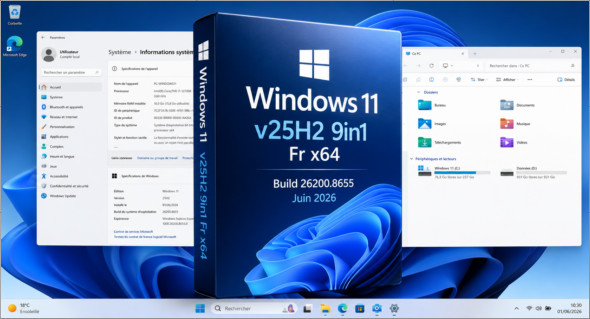
Windows 11 v25H2 9in1 Fr – June 2026 This is an updated French ISO image following the recent monthly update. After installation, the system will be running build number [build number]. 26200.8655with the latest fixes integrated to provide a recent, stable and ready-to-use base.
This ISO aims to offer a practical choice among 9 editions of Windows 11These versions are more or less optimized depending on the user's needs. This saves time, especially for those who regularly install Windows 11 on multiple machines and want a complete, up-to-date, and immediately usable ISO.
One of the major advantages of this version is the integration of workarounds for CPU, RAM, disk size, TPM and Secure BootTherefore, you don't need to modify the image with Rufus or perform any additional manipulations: the workarounds are already included. The ISO supports installation in UEFI, while making TPM 2.0 and Secure Boot requirements non-mandatory.
In case of a bug or incompatibility after the latest monthly update, it is now possible to uninstall the latest cumulative updatewhich offers more flexibility and security after installation.
This ISO contains the following versions:
– Windows 11 Home
– Windows 11 Home Optimized
– Windows 11 Home Optimized v2
– Windows 11 Pro
– Windows 11 Pro Optimized
– Windows 11 Pro Optimized v2
– Windows 11 Enterprise
– Windows 11 Enterprise Optimized
– Windows 11 Enterprise Optimized v2
Changes made across the 9 editions:
– Integration of updates "except Defender" (as of June 2026)
Changes made to the optimized editions:
Tweaks:
Classic GUI – Enabling the photo viewer (manually)
Desktop – The desktop icon is visible on the desktop.
Explorer – Disabling the list of recently opened programs
Explorer – Disabling user tracking
Explorer – Increased icon cache to 4MB
Explorer – Open File Explorer on (This PC)
Explore – Recent Document History (delete on close)
Explore – Recent Document History (Do not save)
Explorer – Removing recent folders from the navigation pane
Explorer – Removing recent files from the navigation pane
Explorer – Removal of the "Our recommendations" section from the Start menu
Explore – Remove the "shortcut to…" suffix from created shortcuts
Explorer – Run in a separate process
Service – Disabling the “Wsearch and DiagTrack” services
System – Automatic hard drive encryption (supposed to be OFF)
System – Disabling the reserved system cache (~7GB)
System – Disable automatic defragmentation
System – Disabling bandwidth limit
System – Enabling a larger system cache (HDD and SSD)
System – Improved disk check time (5 sec)
System – Improved system shutdown speed
System – Improved Windows shell response
System – Reduced launch time for desktop applications at startup
* Basic telemetry is supposed to be pretty much completely disabled thanks to a script on MDL
Additional modifications applied ONLY to the optimized v2 editions:
– Windows Defender -> Not available (Disabled)
– Smart App Control -> Disabled
Version : 25h2 Build 26200.8655 (x64)
Language : French
Size : 5.89 GB
Download Windows 11 v25h2 9in1 Fr Build 26200.8655 (June 2026)
This article was last updated on June 12, 2026