
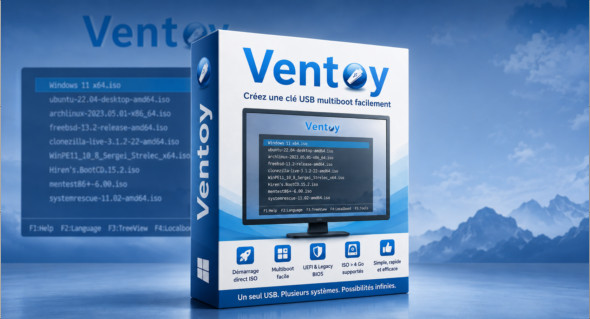
Ventoy Ventoy is a lightweight and convenient tool that allows you to quickly create a bootable USB drive from ISO files. Unlike many traditional bootable media creation programs, Ventoy doesn't require reformatting the USB drive for each new system image. Once Ventoy is installed on the USB drive, simply copy your ISO files to it, then restart your computer to select the desired image from a boot menu.
This functionality makes Ventoy particularly useful for technicians, system administrators, and users who regularly test or install different operating systems. It supports large ISO images, including those over 4 GB, as well as Legacy BIOS and UEFI modes. Thanks to its direct booting system from ISO files, without prior extraction, it saves time while leaving the USB drive usable for regular file storage.
Main features of Ventoy:
- Quickly create bootable USB drives from ISO files.
- Boot directly from ISO images, no extraction required.
- It is possible to add multiple ISO files to the same USB drive.
- Automatic startup menu to choose the system to boot.
- Compatible with Legacy BIOS and UEFI modes.
- Supports UEFI Secure Boot.
- Supports ISO files larger than 4 GB.
- Compatible with many operating systems.
- Over 200 ISO images tested according to the Ventoy compatibility concept.
- It allows not only for startup, but also for a complete installation.
- Fast operation, limited mainly by the speed of copying ISO files.
- A plugin framework to extend the possibilities.
- The USB key remains usable normally for storing other files.
- Ventoy upgrade without destruction of existing data.
- No need to update Ventoy with each new distribution release.
Ventoy stands out for its simplicity and flexibility. It allows you to prepare a multiboot USB drive in minutes, without repeated steps or complex configuration. For those who use multiple versions of Windows, Linux, or troubleshooting tools, it's a very practical solution for centralizing several ISOs on a single drive.
Note that there is also RufusAnother popular tool for creating bootable USB drives is [tool name missing]. You can find it here: https://www.trucnet.com/rufus-final/
Conclusion :
In conclusion, Ventoy is an excellent tool for creating a simple, fast, and flexible multiboot USB drive. Thanks to direct booting from ISO files, UEFI/Legacy support, and the ability to add multiple systems to a single drive, it represents an ideal solution for installing, testing, or troubleshooting different operating systems.
Version : 1.1.16
Language : Multilingual (French included)
Size : 18.04 MB / LiveCD: 181.92 MB
Configuration:
– Windows (x64 Bits): 7, 8, 10, 11
Download Ventoy v1.1.16
Download Ventoy LiveCD v1.1.16
This article was updated on June 26, 2026