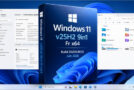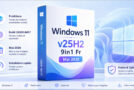

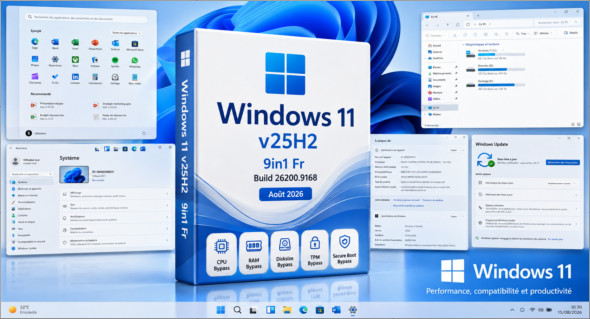
Windows 11 v25H2 9in1 Fr Build 26200.9168 (Août 2026) est une image ISO regroupant 9 éditions différentes de Windows 11, plus ou moins optimisées, afin de permettre à chacun de choisir la version la mieux adaptée à ses besoins.
Suite à la récente mise à jour mensuelle, cette édition passe à la build 26200.9168. L’ISO intègre directement les contournements des vérifications CPU, RAM, disk size, TPM and Secure Boot. Il n’est donc pas nécessaire de modifier l’image avec Rufus pour installer Windows 11 sur une configuration non officiellement compatible.
Cette version 9in1 permet également de gagner du temps lors d’installations régulières en proposant plusieurs éditions réunies sur un même support et déjà mises à jour.
Enfin, en cas de bug ou d’incompatibilité après une mise à jour mensuelle, il est désormais possible de uninstall the latest cumulative update afin de revenir plus facilement à l’état précédent du système.
This ISO contains the following versions:
– Windows 11 Home
– Windows 11 Home Optimized
– Windows 11 Home Optimized v2
– Windows 11 Pro
– Windows 11 Pro Optimized
– Windows 11 Pro Optimized v2
– Windows 11 Enterprise
– Windows 11 Enterprise Optimized
– Windows 11 Enterprise Optimized v2
Changes made across the 9 editions:
– Intégration des mises à jour « sauf Defender » (en date d’Août 2026)
Changes made to the optimized editions:
Tweaks:
Classic GUI – Enabling the photo viewer (manually)
Desktop – The desktop icon is visible on the desktop.
Explorer – Disabling the list of recently opened programs
Explorer – Disabling user tracking
Explorer – Increased icon cache to 4MB
Explorer – Open File Explorer on (This PC)
Explore – Recent Document History (delete on close)
Explore – Recent Document History (Do not save)
Explorer – Removing recent folders from the navigation pane
Explorer – Removing recent files from the navigation pane
Explorer – Removal of the "Our recommendations" section from the Start menu
Explore – Remove the "shortcut to…" suffix from created shortcuts
Explorer – Run in a separate process
Service – Disabling the “Wsearch and DiagTrack” services
System – Automatic hard drive encryption (supposed to be OFF)
System – Disabling the reserved system cache (~7GB)
System – Disable automatic defragmentation
System – Disabling bandwidth limit
System – Enabling a larger system cache (HDD and SSD)
System – Improved disk check time (5 sec)
System – Improved system shutdown speed
System – Improved Windows shell response
System – Reduced launch time for desktop applications at startup
* Basic telemetry is supposed to be pretty much completely disabled thanks to a script on MDL
Additional modifications applied ONLY to the optimized v2 editions:
– Windows Defender -> Not available (Disabled)
– Smart App Control -> Disabled
Version : 25h2 Build 26200.9168
Language : French
Size : 5.94 GB
Download Windows 11 v25h2 9in1 Fr Build 26200.9168 (Août 2026)
Cet article a été mis à jour le 13 August 2026