The all-in-one data backup solution makes a beneficial difference to your business growth.
Although complete system crashes have become relatively rare with the latest versions of Windows, backing up your data and system remains one of the best ways to ensure its long-term operation. A power outage (and subsequent restore) of a few hours is nothing compared to having to completely reinstall your system or, worse, recover from data loss.
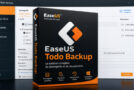
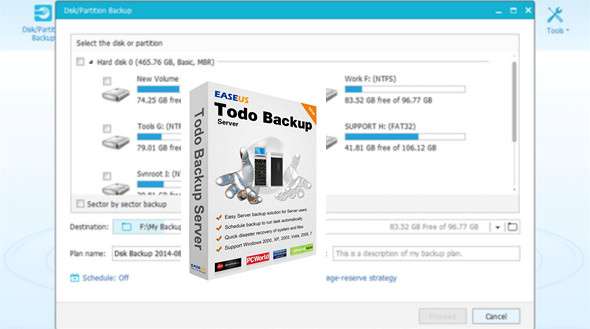
EASEUS Todo Backup is designed for this purpose and allows you to create a backup of your personal or work documents as well as your system.
Equipped with a simple interface, it offers the following features:
– to create a backup of data, disk, partition or the entire system;
– to restore this data, disk, partition or system (even on different hardware);
– to clone a disk or partition,
– to create a bootable disk allowing the restoration of previously backed-up data.
A system requiring reinstallation can thus be easily restored by selecting the created image.
What's new in version 10.0?
* Export/Import the backup task
* Check and correct the corrupted backup task during the program's first run
* System cloning is the newly added function to clone the system more easily
* Support Windows Server 2016
* Support Exchange Server 2016
Configuration:
– Windows (x32/x64 Bits): XP, Vista, 7, 8, 8.1, 10, Win server*
– Processor: Pentium 500 MHz
– RAM: 512 MB
– Disk space: 1 GB
Facility :
1. Disconnect your internet connection
2. Install EaseUS Todo Backup
3. Open the Keygen
4. Choose Your Version in Edition
5. Click on Gen
6. Then click on Copy
7. Throw EaseUS Todo Backup
8. Paste the serial number into license code then click on Activate immediately
9. Copy the Machine Code
10. Stick it in the keygen in line Machine code (by pressing Paste)
11. Copy the serial of the line Activation Code (Keygen) (by pressing Copy)
12. Glue it in Activation Code (EaseUS Todo Backup)
13. Click on OK
14. Close the keygen and reactivate your internet connection
If you are having trouble with activation, two image files are located in the Help folder.
* Note For added security, block the program in your firewall.
- Language : Multilingual (French included)
- Size : 139.8 MB
This article was updated on November 19, 2016