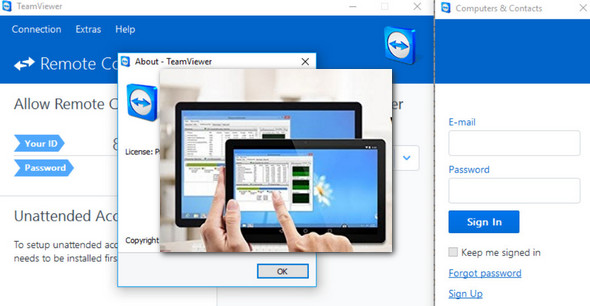
TeamViewer allows you to easily access and fully control a remote Mac or Windows machine, including screen sharing. It automatically and seamlessly bypasses firewalls and proxies. Unlike its competitors, installation, uninstallation, and use are incredibly simple.
It is available in several versions:
-Installable and fully deployable on the "master" machine.
-Without installation, TeamViewer QuickSupport is designed for remote client computers for quick assistance.
-Finally, a portable version that can be placed on a USB key or CD is also included.
Principle:
To help a loved one with a computer problem, give a presentation, collaborate with a team, or administer a server, the best solution remains remote access to a computer. Windows, Mac, and Linux operating systems include dedicated modules by default, with varying degrees of accessibility.
How to do it?
Setting everything up will only take you two minutes. For the host machine, install the full program. The client will download and launch TeamViewer QuickSupport. Two IDs in the form of a 9-digit code and two separate passwords will be generated, one for you and one for the client. All you'll need to do is ask them for these IDs and passwords to start the session. Without any prior setup, you'll be able to access the remote machine and see everything on your screen.
With full control, you will have many possibilities:
-Control the mouse and type with the keyboard,
-Access the entire disk and peripherals,
-Perform file transfers in both directions,
-Set up an audio-video conference via VoIP,
-Having an integrated chat function for communication,
-Launch a Ctrl +Alt +Delete,
-Close the session quickly,
-Turn the machine off or restart it,
-Display system and network information.
As for data transfer, you simply navigate through directories and can make multiple selections. Furthermore, with a single click, you can hand over control of your machine to the other party by selecting the "switch sides" option. Numerous advanced settings are available, such as configuring permanent access, balancing display quality and responsiveness, restricting access, and adding whitelisted or blacklisted users. Fully functional on both Windows and Mac, the icing on the cake is the application's complete translation into French.
New features in TeamViewer:
Bandwidth optimization / New toolbar
Remote control of Android devices: availability of a new universal app "TeamViewer Remote Control" working on Windows 10 computers, tablets and smartphones
Configuration:
– Windows (x32/x64 Bits): XP, Vista, 7, 8, 8.1, 10
– Processor: 3GHz
– RAM: 512 MB
– Disk space: 300 MB
Facility :
Installer version:
1- Install TeamViewer
2- Launch the Patch
3- Click on Patch
Portable Version (Pre-cracked):
- Throw TeamViewer.exe
- Language : French
- Size : 128.4 MB
This article was updated on December 9, 2016