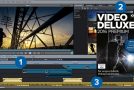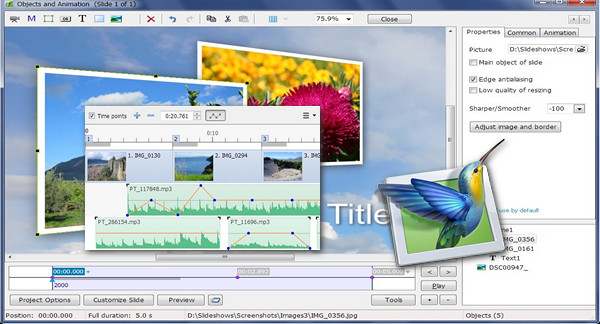
Add photos, video clips, and music. Create professional slideshows with PicturesToExe 8. Output for PC, Mac, DVD, HD video, and YouTube.
Images and video clips
Place images, videos, and text objects in a view. Combine the objects together on the screen.
Styles and transitions
There are over 100 customizable transition styles and effects.
Unlimited number of original styles. Create new styles and transitions.
Animation by key points
Configure the settings for panning, zooming, rotating, and 3D transformations. Control opacity, blur, sharpness, and color effects.
Hierarchical animation
Create complex parent-child object animations.
Masks
Apply mask effects to a group of objects.
Audio tracks
Add multiple audio tracks that will be played simultaneously.
Synchronize the views with audio clips on the timeline using time markers.
Association of sounds with views
Audio editor
Envelope tool (keypoint volume adjustment)
Edit your sound files: fade in and out, start, duration, crossfade.
What's new in PicturesToExe 8
Timeline improvement
* Key points for adjusting the volume of a sound file.
* Adjusting the sound fades on opening and closing.
* A sound file can be associated with a view. Select the view on the timeline, then right-click on the sound file to open the palette and select "Link sound to view X".
* Audio comments made on views appear on the timeline.
Sound feature improvements
* Improved Sound palette in project options.
* Exporting multiple audio tracks into a single mp3 file to reduce the size of the .exe file.
* "Sound Commentary" palette accessible from the "Views" menu.
Styles
* Custom style editor.
* Import and export of custom styles.
Objects and animation
Blur can be applied to the control points of all objects. If a parent object has child objects, that group of objects will be blurred. Blur can be applied to views in custom transition effects.
* Unsharp mask (sharpening) applicable to the control points of all objects.
* Adjusting the color of object control points (sepia, grey levels).
* Cropping tool available in the "Adjust Image and Frame" palette.
* A mask container can be inserted into another mask container.
* Improved mask performance.
* Transparent background for custom transition effects.
* Change view duration function in the Tools menu. This function allows you to maintain the absolute position of key points or shift them proportionally when the duration changes.
Video
* Video masks.
* Setting the video speed.
* Chroma Key (overlay).
* Compatibility with videos with alpha channel (videos must be in RGBA format).
* 1920 x 1080 output for Android tablets.
Control
* Added an "X" (Quit) button to the top right corner of the screen for .exe files. This option requires the navigation bar to be enabled with the "video player" style and the "Quit" box to be checked in the available choices.
Project files
* New "Project Folders" tab in the Preferences palette to manage project template folders.
* Customizable default options for new builds.
Configuration:
– Windows (x32/x64 Bits): XP, Vista, 7, 8, 8.1, 10
– Processor: 3GHz
– RAM: 1 GB
– Disk space: 2 GB
Facility :
– Install the software and then copy/paste the contents of the folder crack in your installation folder.
- Language : Multilingual
- Size : 18.0 MB
This article was updated on December 24, 2016