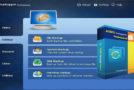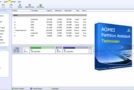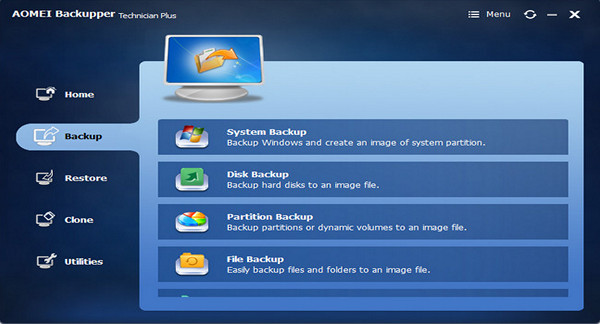
Powerful software for Windows PCs and laptops, containing all the features of AOMEI Backupper and supporting system/disk/file/partition backup, restore, and cloning, as well as providing scheduled tasks.
AOMEI Backupper Technician plus, specially designed for small and medium-sized businesses, is not only a data protection and disaster recovery solution, but also a hard drive partition cloning software.
The PXE boot tool can boot client computers from a master machine. With a simple and user-friendly interface, anyone, even non-technical users, can protect all important company data in minutes without needing an expert.
Our stable and powerful server backup software is capable of backing up your physical and virtual server without interrupting or stopping Windows and other running applications.
– Ensure business continuity – back everything up automatically or manually before a system failure.
– Reduce server downtime – selective restore and WINPE boot recovery environment.
– Disk storage management – automatic cleaning, and incremental & differential backup.
– Universal restoration – easily restore your specialized system on different hardware.
Back up – protect your server at all times, both the system and the data
Partition backup: Back up specialized partitions that store your important information to prevent disk failure.
File backup: Specify the files or folders to back up; it is possible to customize folder backups with filters.
File synchronization: Synchronize files and folders in real time or with a scheduled task for automatic data updates between devices.
Incremental & differential backup: Save only the modified data to save time and disk space.
Command-line backup: Back up using the command line prompt or batch scripts for automatic backups and multiprocessing.
Backup disk space management: Automatically delete old backup images based on the specified value.
Hot backup: A technology exists that allows backups to be performed without interrupting or stopping Windows and other running applications.
Save with the triggering event: Automatically perform the backup task when the user logs in, when the user logs out, when the system starts, and when the system shuts down.
Restore – helping you recover everything you've backed up in minutes
Sheet music restoration: Partition recovery helps you rebuild partitions that have been overwritten due to bad operations, etc.
File restoration: Restore files and folders that are lost, damaged, or accidentally modified.
Selective file restoration: It is sufficient to recover individual files without restoring the entire image.
Restoring automatic partition alignment: Optimize storage performance, especially for an SSD after restoration.
Boot recovery environment: Recovering servers that have a system failure or are damaged under Windows PE.
Clone – create an exact duplicate of your system, partition, and hard drive
Clone with resizing: Adjust the partition sizes to fit the new destination location during cloning.
Automatic partition alignment cloning: Optimize storage performance, especially for an SSD after cloning.
Cloning sector by sector: Clone all sectors (used and unused sectors) to a destination disk.
Hot cloning: A technology exists that allows the system/disk to be cloned without interrupting or stopping Windows and other running applications.
Supported disc styles and types:
– Master Boot Record (MBR) Disk
– GUID Partition Table (GPT) Disk
– Compatible with GPT/UEFI boot
– Compatible with dynamic disk volumes
Configuration:
– Windows (x32/x64 Bits): XP, Vista, 7, 8, 8.1, 10
– Processor: Pentium 4 3GHz
– RAM: 512 MB
– Disk space: 1 GB
Facility :
1- Start the installation (ABTechPlus.exe)
2- Copy the patch in the installation folder – run the
3- Use the keygen (Choose Technician Plus Edition Then Generate)
Portable version 4.0.1
Run the Portable\App\ fileBackupper.exe
- Language : Multilingual (including French)
- Size : 300.0 MB
This article was updated on December 31, 2016