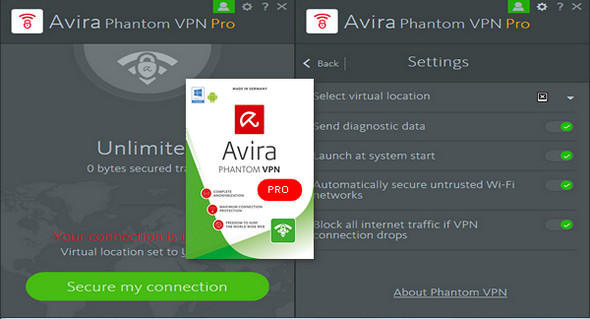
Avira Phantom VPN masks your IP address, protects your private data, and secures your connection across all networks. It's a quick and easy way to set up a virtual private network for Windows and Android. It secures your connection, anonymizes your activity, and unlocks the entire web.
Masking your real IP address makes it appear as if you (and someone) are somewhere else. This keeps your identity and confidential activities (such as bank transfers or calls) private from online intruders, whether individuals or organizations.
– Your streaming and downloading sessions are nobody's business but your own.
Phantom VPN prevents your IP address from being broadcast, so your Internet service provider doesn't know which sites you visit.
– Server locations worldwide
Select the country you wish to route your traffic to in order to access your favorite websites anonymously and securely in just two clicks.
Features of Avira Phantom VPN Pro:
* Web Anonymity – Change your IP address
* Secure encryption – Protects your private communications
* Unlock content – Watch your favorite shows everywhere
* Fast VPN – operates silently in the background
* No newspaper Avira does not monitor the websites you visit.
* Simultaneous connections – Connect as many devices as you want
Configuration:
– Windows (x32/x64 Bits): XP, Vista, 7, 8, 8.1, 10
– Processor: P4 3GHz
– RAM: 512 MB
– Disk space: 10 MB
Facility :
1. Install Avira Phantom VPN vpninstaller.exe"
2. Use Task Manager to kill all Avira Phantom VPN processes (CTRL + ALT + DELETE)
3. Copy " Avira.VPN.Core.dll " And " Avira.VpnService.exe » paste and replace in the installation directory
4. Launch Avira Phantom VPN
To be able to translate it into French:
1. You need to go to the Avira VPN installation location ==> (C:\Program Files (x86)\Avira\VPN)
2. Search for the file ==> Avira.WebAppHost.exe.config
3. Open with Notepad or other types of software… as long asadministrator
4. Modify the line at the very bottom ==> en-US in fr-FR
*. If you are having trouble finding the line, make a CTRL+F and look for the line.
5. Save and open your Avira VPN
- Language : Multilingual (French included)
- Size : 4.5 MB


This article was updated on February 6, 2017