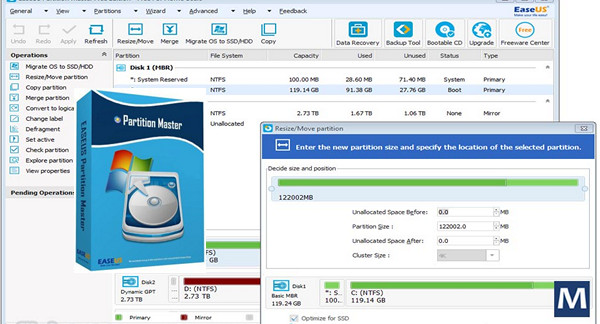
EASEUS Partition Master all editions ( Professional/ Technician/ Server/ Unlimited )
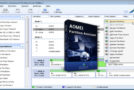
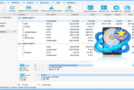
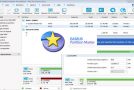
EaseUS Partition Master is a program specifically designed for partitioning hard drives. It's an all-in-one partition management solution that allows you to partition and recover your hard drive with ease, giving you optimal PC performance. It's a simple and effective alternative to software like Partition Magic, Partition Resizer, or the GParted Live CD bootable CD.
The software actually has many features, from the most basic to the most interesting:
– Creation/deletion of FAT (FAT12, FAT16, FAT32), NTFS, EXT2 or EXT3 partitions
– Resizing partitions without restarting (in NTFS)
– Merging or splitting partitions
– Converting from FAT to NTFS without data loss
– Conversion of dynamic disk to basic, primary partition to logical or logical to primary
– Recovery of deleted or lost partition
– Formatting and hiding partitions
RAID hard drives are, of course, supported by the software.
Changelog:
– Optimize the activation mechanism to reduce activation failure.
– Modify the digital signature of driver files for Windows 10.
– Improve the 4K alignment function.
– Bug fixed: drive letters changed after resizing in Windows 10.
– Bug fixed: Blocking issue caused by failure to parse .ini file.
Configuration:
– Windows (x32/x64 Bits): XP, Vista, 7, 8, 8.1, 10
– Processor: 1 GHz
– RAM: 512 MB
– Disk space: 100 MB
Facility :
1. Install EaseUS Partition Master Trial
2. Open the folder key then the file x64 (For Windows 64-bit) or the file x86 (For Windows 32-bit)
3. Double-click on the key for the desired version, then click on YES
* For added security, add these addresses to your hosts file (which is located in C:\Windows\System32\drivers\etc):
www.easeus.com
activation.easeus.com
track.easeus.com
Language Multilingual (including French)
Size 50.9 MB
This article was updated on February 26, 2017