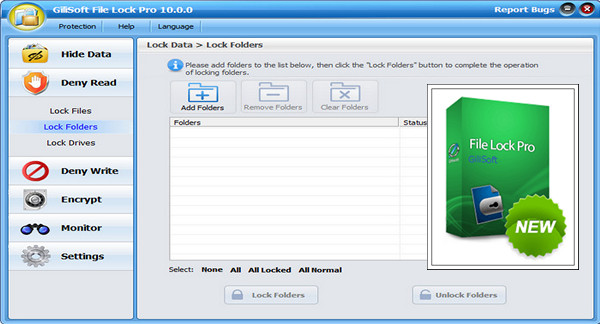
GiliSoft File Lock Pro is a powerful software for quickly and efficiently encrypting and protecting data on the hard drive.
Software that allows you to lock and hide files, folders and drives quickly and securely, and can use AES 256-bit encryption (the encryption standard adopted by the US government) to protect your files located on hard drives or any portable media such as USB drives.
Main features:
– GiliSoft File Lock Pro can hide your private file folders and drives, making them completely invisible to users and programs.
– It can encrypt files and folders of any type.
It sorts and encrypts a folder into an executable file (.exe) using the AES encryption algorithm. You can encrypt important data using this method and then send it over the network or via other means for use on a machine without Gili File Lock Pro.
GiliSoft File Lock Pro allows you to completely erase sensitive data from your hard drive by overwriting it multiple times with carefully selected patterns. No one can recover the deleted data from your drive.
– GiliSoft File Lock Pro is a password-locked software, meaning there is no other way to run or uninstall it if you do not have the password.
New features in v10.6
* Windows 10 support.
Configuration:
– Windows (x32/x64 Bits): XP, Vista, 7, 8, 8.1, 10
– Processor: 1 GHz
– RAM: 512 MB
– Disk space: 20 MB
Facility :
1. Add this line to the host file
127.0.0.1 gilisoft.com
2. Install the program file-lock-pro-setup.exe
3. Enter an activation key found in the file series.txt
Language Multilingual (French included)
Size 6.3 MB
This article was updated on March 8, 2017