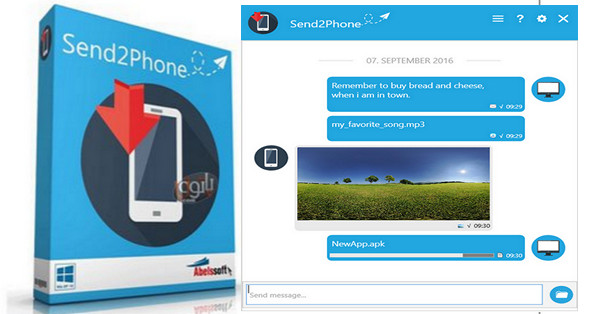
Abelssoft Send2Phone 2017 is a popular application; you can easily send photos, music, texts, links, etc. from your computer to your smartphone.
Send files from a PC to a mobile phone
Easily send links, images or files from your PC to your Android phone – or vice versa.
Secure encryption using the AES-256 standard
Files or passwords – with Send2Phone, everything is secure. The tool encrypts using the highest level of security, AES-256.
Easy in one click
Thanks to the easy handling, files can be sent by drag and drop, right-clicking in the context menu or file selection.
Variety of formats
Send2Phone supports almost all popular formats: links, text, PDF, MP3, and video formats such as WMV, AVI, MOV, and MPEG. Send2Phone understands them all and is therefore the perfect companion for your daily life.
Many devices that you like
Send2Phone maintains: not only can files be sent from a PC to an Android phone or vice versa, you can also connect as many devices as desired to each other.
Unlimited exchange
Send2Phone allows you to exchange any number of files between a PC and an Android phone. While the free version is limited to sending files with a maximum size of 2 MB, the Plus version allows you to send files up to 100 MB.
Downloading multiple files
Send2Phone allows you to send not only one file after another, but also multiple files at once.
Configuration:
– Windows (x32/x64 Bits): 7, 8, 8.1, 10
– Processor: 1 GHz
– RAM: 512 MB
– Disk space: 10 MB
Facility :
Standard installation, run the file S2P_2017_Retail.exe
Language English / German
Size : 5.3 MB
This article was updated on March 10, 2017