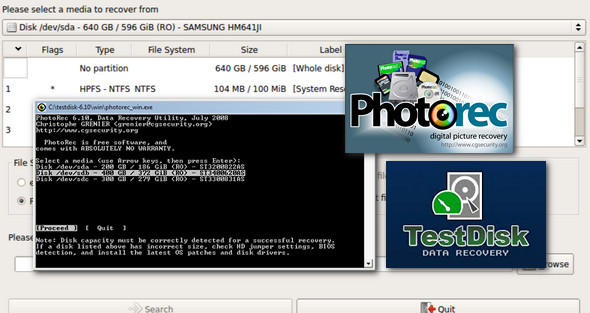
TestDisk is a utility for recovering lost or damaged data; it was originally designed to help recover lost partitions and repair corrupted partition tables when these symptoms were caused by faulty software.
The program can also modify the disk geometry and write the MBR code to the first sector of the disk. You can use the application to completely erase all data from a partition and restore unbootable disks to a bootable state.
Since data recovery (undeletion) is involved, TestDisk comes with support for several file systems, including some that are not common to Windows users. Therefore, you can restore files from FAT, NTFS, ext2, and exFAT file systems.
For systems with damaged or empty partition tables, the software offers the ability to repair the problems. Furthermore, TestDisk can find missing partitions and create a new table or rewrite a completely new MBR.
Designed to be accessible to both advanced and less experienced users, this utility has logging and debugging capabilities that can be easily used from the command line. This means that TestDisk will gather all available information about the state of a drive, and this information can then be used to analyze and resolve problems.
Overall, for anyone who needs to restore files or entire partitions, write partition tables for specific drives, and perform other tasks, TestDisk is certainly one of the best choices, especially since it is not difficult to operate.
TestDisk can:
– Repair the partition table, recover lost partitions
– Recover the boot sector of a FAT32 partition from its backup
– Rebuild the boot sector of a FAT12, FAT16 or FAT32 file system
– Repair the FAT tables
– Rebuild the NTFS boot sector
– Restore the NTFS boot sector from its backup
– Repair the MFT from its backup (mirror MFT)
– Locate a rescue superblock for an ext2/ext3 or ext4 partition
– Recover a deleted file from a FAT, NTFS or ext2 partition
– Copy files from a FAT, NTFS, ext2/ext3/ext4 partition even if it is erased.
New file formats recovered by PhotoRec:
* .3dm: Rhino / openNURBS
* .ari: ARRI Raw Video
* .camrec: Camtasia Studio
* .dad: Micae DVR
* .dcm: Digital Imaging and Communications in Medicine (DICOM)
* .fp12: File Maker Pro 12
* .kra: Krita
* .mlv: Magic Lantern Video
* .notebook: SMART laptop
* .ora: Mypaint
* .red: RED2 video format
* .rlv: Password revelation
* .vbm: Veeam backup metadata
* .woff: Web Open Font Format
Configuration:
– Windows (x32/x64 Bits): XP, Vista, 7, 8, 8.1, 10
– Processor: 1 GHz
– RAM: 512 MB
– Disk space: 50 MB
Portable version:
Run the program according to your system (x86Bits / x64Bits)
— Launch the TestDisk program testdisk_win.exe
— Launch the PhotoRec program qphotorec_win OR photorec_win.exe under DOS
Language : English
Size : 29.3 MB
This article was updated on March 23, 2017