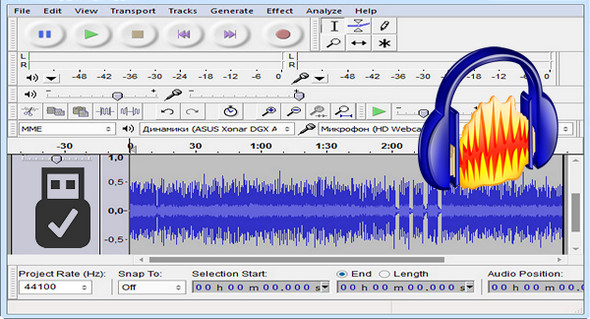
Audacity is a free and easy-to-use audio editor and recorder for Windows. You can record sounds, play back sounds, import and export WAV, AIFF, AAC, MP4, Ogg Vorbis, and MP3 files, and more. Use it to edit your audio using Cut, Copy, and Paste (with unlimited Undo), mix tracks together, apply effects to your recordings, change the speed or pitch of a recording, and much more.
A customizable spectrogram mode and a frequency analysis window for audio analysis applications. Built-in effects include Bass Boost, Wahwa, and Noise Removal, and it also supports VST plug-in effects.
Audacity is undoubtedly one of the best and easiest digital audio editors on the market and will meet any requirement at 100%.
You can use Audacity to:
– Live audio recording.
– Convert tapes and recordings into digital recordings or CDs.
– Edit Ogg Vorbis, MP3, WAV or AIFF audio files.
– Cut, copy, splice or mix sounds together.
– Change the speed or pitch of a recording.
- And more
Modifications and improvements:
Interface:
* Option fixed on the waveform so that the waveform moves and the recording/playback head
* Timer save options to save / export / exit after recording.
* Scrub Ruler and optional Scrub Toolbar.
* New shortcuts ALT + RIGHT and ALT + LEFT (switch to labels without modification).
Effects:
* The effects are no longer greyed out when paused.
* New Distortion effect (replaces Leveler).
* SBSMS option (higher quality, but slower) on Change Tempo / Change Pitch
* New Rhythm Track generator (replaces Click Track).
* New generator for importing sample data.
* The effects of Nyquist are now much faster.
Configuration:
– Windows (x32/x64 Bits): XP, Vista, 7, 8, 8.1, 10
– Processor: 1 GHz
– RAM: 512 MB
– Disk space: 1 GB
Facility :
Standard installation, launch the file audacity-win-2.1.3.exe
Portable version:
Run the file \audacity.exe
Language Multilingual (French included)
Size : 35.4 MB
This article was updated on March 17, 2017