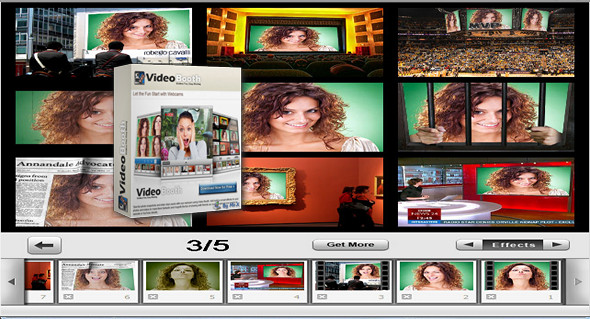
Have fun easily with your webcam using videos and video clips with Video Booth. Add smart built-in effects to your photos and videos to make them fantastic and enhance the fun of sharing with friends. You can also host your work directly on Facebook, YouTube, and other sites.
Take snapshots – easily capture your special look.
Video Booth makes it easy to take photos with your built-in or computer-connected cameras. Simply launch the application and locate the images. Take a single photo or capture four photos in quick succession using the "Continuous Shooting" mode, which makes your photos more unique. Before the photo is taken, Video Booth will flash your screen to let you know it's capturing the last image in the main window.
Record video clips smoothly and stably.
With Video Booth, recording video clips from your webcam is quite simple. More importantly, the video clips captured by Video Booth are very smooth and stable. Effects can be added to your video, making it more fun to share on YouTube or with family and friends.
Add the effects and see how fascinating it could be.
Using effects to transform your look, create fantastic or freaky smiles. Insert an image of yourself in outer space or take a stroll through a beautiful waterfall forest. Start your fun journey with all these effects offered by Video Booth, which work perfectly for instant photos and video recording.
Configuration:
– Windows (x32/x64 Bits): XP, Vista, 7, 8, 8.1, 10
– Processor: 1 GHz
– RAM: 512 MB
– Disk space: 30 MB
Facility :
1. Install the program VideoBooth-Setup.exe
2. Copy/Overwrite the Cracked fileVideoBooth.exe in the installation folder.
3. To add the effects, copy the folder Effects 7 in the installation folder.
* The installation folder (default): « C:\Program Files(x86)\VideoBooth"
Language Multilingual (French included)
Size 28.5 MB
This article was updated on April 27, 2017