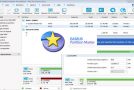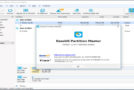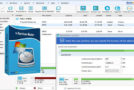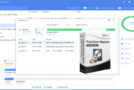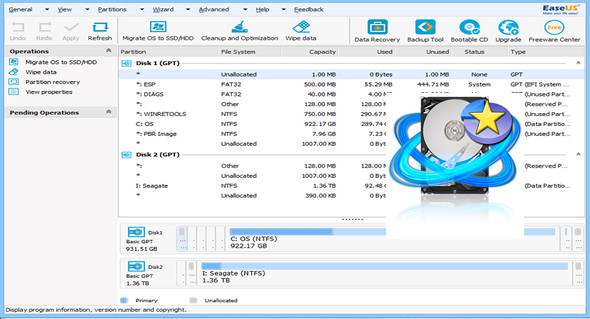
The all-in-one partition solution and disk management utility allows you to extend the partition, especially for the system drive, solve the disk space problem, and easily manage disk space on GPT disks and GUID Partition Tables (GPT).
Partition Manager
The best solution for creating, deleting, resizing/moving, merging, splitting, erasing, or formatting partitions to better utilize hard drive capacity.
– Extending the NTFS system partition without restarting to maximize PC performance.
– Safely merge two adjacent partitions into a larger one without data loss.
– Convert the dynamic disk to a basic disk and convert FAT to an NTFS file system.
– Convert the primary partition into a logical partition and vice versa: convert a primary volume into a logical volume to create a fifth volume on a disk with 4 existing primary volumes.
– Speed up your computer by defragmenting.
– Supports all hardware RAID arrays, removable storage devices, hard drives, GPT disks, and FAT/NTFS/EXT2/EXT3 file systems
Disk and Partition Copy Assistant
Easily copy the disk partition, dynamic volume, or GPT partition for data protection or disk update; no Windows system reinstallation is required.
– Copy a partition with a quick file-by-file copy to protect your data.
– Copy the entire hard drive to another without reinstalling Windows.
– Upgrade the system disk to a larger one with one click.
– Securely copy the dynamic volume to the base disk and resize the base disk, etc.
Partition Recovery Assistant
Partition Recovery Wizard, integrated into EaseUS Partition Master, is designed to recover deleted or lost partitions.
– Recover deleted or lost partitions of unallocated space due to personal, hardware or software failure or a virus attack.
– Recover deleted or lost partitions after the hard drive has been split.
– Two recovery modes in Partition Recovery Wizard: automatic recovery mode and manual recovery mode.
– Supports recovery of FAT, NTFS, EXT2 and EXT3 partitions.
Changelog:
-Support for creating volumes on a dynamic disk. (Not available in Free Edition)
-Minor update to the Graphical Interface
-Support for Danish and Traditional Chinese.
-Improved support for the 4KB disk sector.
-Change of the disk number at the same time as in the system.
Configuration:
– Windows (x32/x64 Bits): XP, Vista, 7, 8, 8.1, 10
– Processor: 1 GHz
– RAM: 512 MB
– Disk space: 100 MB
Facility :
1. Install EaseUS Partition Master Trial
2. Open the folder key then the file x64 (For Windows 64-bit) or the file x86 (For Windows 32-bit)
3. Double-click on the key for the desired version, then click on YES
* For added security, add these addresses to your hosts file :
www.easeus.com
activation.easeus.com
track.easeus.com
Language Multilingual (including French)
Size : 51.6 MB
This article was updated on April 30, 2017