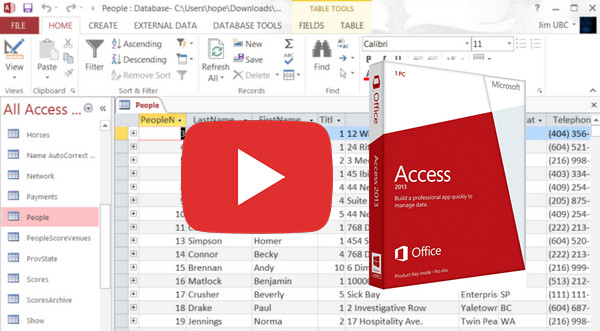
This training course covers all the functionalities of Access 2013.
This is the database management software of the Office 2013 suite. In this training course, you will see how to create several tables, the tables in which the data is organized.
To make filling your tables easier, Access 2013 allows you to create and customize registration forms.
You can then create queries, which allow you to retrieve data from several tables, to cross-reference them and link common elements.
Queries also allow calculations to be performed and columns to be automatically filled.
Finally, learn how to generate reports: documents automatically completed by the software from your data.
- Language: French
- Duration: 4 hours 15 minutes
Chapter 01 - Discovering the application
1- Create a database
2- Use database templates
3- Navigating the interface
4- Back up your data
5- Back up regularly
6- Protecting access to a database
Chapter 2 - Database Structure
1- The structure of a database
2- Create a table
3- Organizing the elements of a database
4- Inserting fields into a table
5- Format the fields of a table
6- Edit the properties of a field
7- Fill in a table
8- Linking data between different tables
9- Edit a relationship
Chapter 3 - Entering and Modifying Data
1- Formatting your data
2- Create drop-down lists
3- Use external data
4- Import your Outlook address book
5- Modify data validation rules
6- Create labels
Chapter 4 - Searching for Data in a Database
1- Sorting your data
2- Filtering the data in a table
3- Quickly find a value
4- Simply replace data
5- Modify the search index
6- Detect duplicates
Chapter 5 - Creating Forms
1- Create your first registration form
2- Create a form manually
3- Enter text into the form
4- Insert input fields
5- Insert a list box
6- Insert checkboxes
7- Insert action buttons
8- Reorganize a form
9- Add information to a form
10- Customize the overall appearance of the form
11- Modify the properties of a form
Chapter 6 - Using Queries
1- Understanding the dependencies between your data
2- Create a simple query
3- Create a crosstab query
4- Perform a simple calculation
5- Create a calculation field
6- Cleaning a database
7- Analyze the contents of the tables
Chapter 7 - Working together on a document
1- Quickly create a report on your data
2- Create a custom report
3- Generate a document automatically
4- Print items
5- Send a database by email
Chapter 8 - Configuring and customizing the application
1- Exporting your database
2- Change navigation settings
3- Customize the interface display
4- Customize the toolbars
5- Customize the ribbon
This article was updated on October 18, 2016