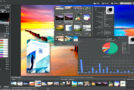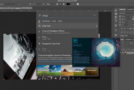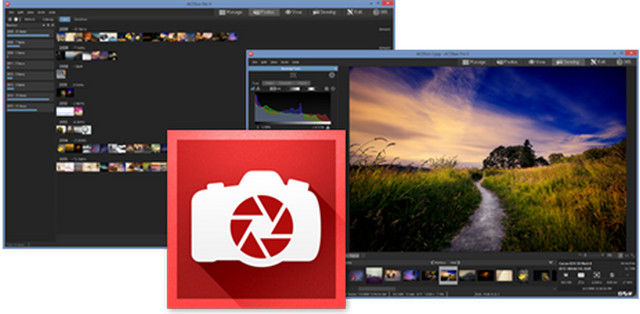
A renowned photo editing and management solution, ACDSee Pro 9 stands the test of time, and its list of improvements continues to grow. It boasts new features designed to deliver the exceptional results and ease of use that users expect from this reliable software. With new organization tools, lens distortion correction, an improved timeline view, new ways to track and batch apply all edits, the ability to revert to any stage of development, expanded creative capabilities with Photoshop plug-in support, new light and skin correction features, and much more, ACDSee Pro 9 is one of our most comprehensive releases.
New products
ACDSee Pro 9 is the most comprehensive solution for enhancing and controlling your image production. With new methods for tracking and replicating each step, accelerating your workflow, and perfecting your photos, you'll be amazed by our new process and how quickly you can get back behind the lens. Featuring an impressive range of effects, skin retouching, lens distortion correction, and white balance enhancement, along with the ability to customize your digital asset management, develop snapshots, support 4K displays, enjoy a chronological overview of your entire collection, and other resources for precise editing and drawing, ACDSee Pro 9 is a significant addition to the ACDSee family.
ACDSee Actions: Automation Made Simple
Save valuable time on repetitive tasks with ACDSee Actions. Save virtually all your edits in Edit mode and apply them to other images. This lets you repeat an entire editing process with a single click. Preview the results of your saved edits on any image before applying them. Apply your saved edits to as many files as you like across a wide range of file types. While batch editing previously allowed only a few edits, you can now save and apply the approximately 200 adjustments available in Edit mode to multiple photos. Achieve the same end result without going through all the steps again, and share the images with friends, family, or fans!
Lens distortion correction
Correct barrel and pincushion distortion in digital photographs with pinpoint accuracy: automatic correction specific to the lens used to take the picture. ACDSee Pro 9 contains a list of all possible lenses for your camera's make and model and applies a specially calculated correction to correct the precise distortion of that lens. Even chromatic aberration is corrected. Associate this correction with your lens and set the Develop mode to perform the correction every time, without any intervention required from you.
4K Display Support: The Resolution Revolution
Distinct, clear, and crisp. So many adjectives to describe ACDSee's new support for high DPI values. View your images on 4K screens with crystal-clear, uncompromising detail that words cannot adequately describe.
Platform: Windows 7, 8, 8.1, 10 (32-bit & 64-bit)
System requirements:
Intel "Pentium" III / AMD Athlon processor or equivalent
(Intel "Pentium" 4 / AMD Athlon XP or equivalent recommended)
512 MB RAM (1 GB RAM recommended)
310 MB free disk space (1 GB recommended)
High-color graphics card with a resolution of 1024 x 768 (1280 x 1024 recommended)
Facility:
First: Turn off your internet connection
1) Run "acdsee-pro-9-1-0-452-win-x64-fr" or "acdsee-pro-9-1-0-452-win-x86-fr" depending on your configuration.
2) Continue the installation… (Do not launch the program once the installation is complete)
3) Copy the "PatchACDSeePro".exe file located in the "patch" folder and paste it into => (C:\Program Files\ACD Systems\ACDSee Pro\9.0)
4) Run "PatchACDSeePro".exe as Administrator and click on "Patch".
The message "PATCHING DONE" means that the patch was successful.
- Language: French
- Size: 187.43 MB
This article was updated on July 21, 2016