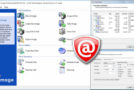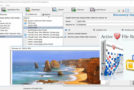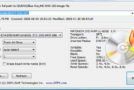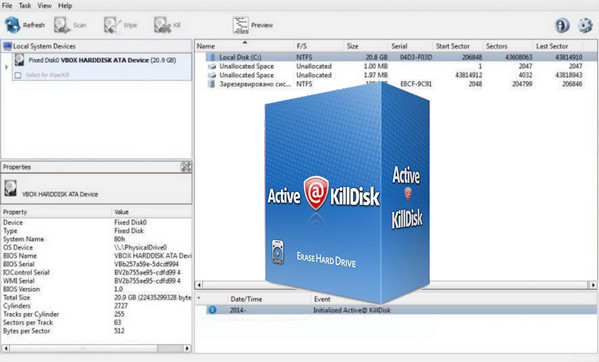
Active@ KillDisk is a powerful and compact utility that allows you to completely destroy all data on your hard drives, eliminating the possibility of future recovery of the deleted files and folders. You can run this utility on hard drives or floppy disks that you want to dispose of, recycle, reuse, sell, or give away.
One Pass Zeros erase is a supported erasure method in the freeware version
Erases all data on the hard drive, SSD and USB drives completely
Detects and resets hidden disk areas (HPA/DCO)
Erases all used space on the disks, but does not touch existing data.
Plug'n'Play USB drives fully supported
Professional package:
Supports 23 safety standards, including DoD 5220.22-M
Boot disk creator that allows you to boot from CD/DVD/USB in a Windows environment, and to delete or erase your system disks
Support for verification, batch mode, email reports, certificate customization, PC shutdown after completion.
Features:
– New Active @ Boot Disk boots UEFI 64-bit secure boot systems and legacy BIOS PCs!
– Boot Disk Creator can pre-configure Killdisk boot using command-line parameters
– Disk Creator Universal Boot for CD/USB media for Windows, Linux and DOS targets
– Maps and reconnects network shares to store logs and certificates. New!
– Restores detected hidden disk areas. New!
– Fingerprints (date, method, and erase status) can be placed in the first disk sector
– Comments can be easily added to a custom certificate for each session.
– Latest Active @ Boot Disk Lite (WinPE-based) & Active @ LiveCD (Linux-based)
– Linux-based boot diskette (LiveCD) supports UEFI secure boot on x86 and x64 systems
– User-defined method can specify a rewrite mask for each pass using hexadecimal symbols
– Supports large disks (over 4 TB) and disks with a sector size of 4 KB
– Supports both MBR and GPT disk partitioning styles
– The certificate can be displayed after erasure/wiping completion and saved as a PDF
– The erase/wipe certificate can be customized with a logo and technician information.
– Command-line options added to support the certificate and options log file
– Overwrites all security and destroys all data on physical disks or logical partitions
– Erases partitions, logical drives, and unused disk space
– Supports IDE / SATA / eSATA / USB / SCSI / iSCSI external drives
– Supports Solid State Drives (SSDs), LUNs, RAID disk arrays
– Supports fixed disks, USB flash drives, floppy disks, Zip drives, SanDisk CompactFlash &
– Detects hidden areas (HPA / DCO) on disks. New!
– Supports batch mode (can be executed from the command line without user interaction)
– Works from bootable media: USB drives or bootable CD/DVD/BD discs
– The deletion report can be saved as a text file and exported in XML format
– Support for previewing and wiping Apple HFS+, Linux Ext2/Ext3/Ext4, Unix UFS & exFAT
– Scans NTFS / FAT / exFAT / HFS+ / UFS / UDF / Ext2 / Ext3 / Ext4 volumes, displays files and folders
– Data verification can be performed after the erasure process is complete
– Built-in Hex Viewer allows you to inspect raw disk sectors and file clusters
– Displays detected disk and physical partition information
– Erases NTFS/FAT/exFAT/HFS+/extfs volumes from areas containing deleted and used data
– Clears free clusters (clusters not used by file data)
– Clears the game file space (unused bytes in the last group of the file)
– Erases deleted MFT records, directory entries, and other system documents
– Clears unused space in all MFT records and compressed clusters
– Portability provided with settings stored in the INI file instead of the local registry
– Option to save log & option to shut down the PC after erasure is complete
– Notifications and reports can be sent by email
– Option to send reports by email via a pre-configured FREE SMTP account
Configuration:
– Windows (x32/x64 bits): XP, Vista, 7, 8, 8.1, 10
– Windows 2003 / 2008 / 2012 Servers
– 1 GHz processor
– 512 MB of available RAM
– 1 GB of free hard drive space
Facility:
1- Install KillDiskPro-Setup.exe.
2- Enter the data from the serial file.
3- Create your CD or USB drive with Active@ Boot Disk Creator.
- Language: English
- Size: 427.2 MB
This article was updated on September 23, 2016