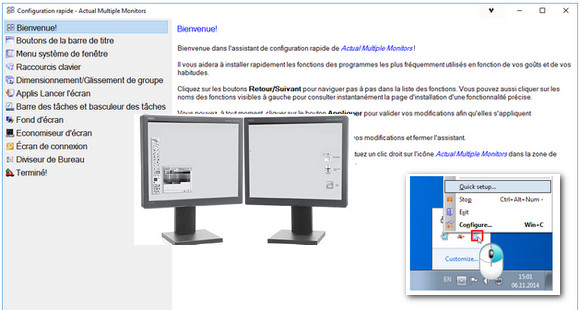
Nowadays, working with two or more screens is increasingly common, especially in professional environments where you need to access a lot of information clearly.
Actual Multiple Monitors offers you the ease of working with Windows in multi-monitor mode:
– Taskbar with "Start" button and Task Switcher on secondary monitors
– A function to move windows between screens
– Advanced wallpaper and screensaver settings
– Support for Windows 7 Aero Snap emulation desktop profiles
– Preview thumbnails, and more.
Even modern versions of Windows only provide most of the basic functionality for working with multiple monitors, reducing the overall efficiency of increased screen space.
Actual Multiple Monitors fills the gaps in the Windows interface and significantly improves the efficiency and ease of use of multiple monitors.
Specific features:
– Specify a screen resolution for each screen.
– Choose a wallpaper for each screen or share a wallpaper between them.
– Enable a taskbar on additional screens.
– Different screensaver configurations for each screen.
– Create multiple profiles to switch screens.
– Mouse movements to change screens.
And many other options…
In addition to this, Actual Multiple Monitors adds options to application windows, such as the ability to move a window directly to another screen, or the option to open an application on the screen where the mouse is located.
Configuration:
– Windows (x32/x64 Bits): 7, 8, 8.1, 10
– Processor: Pentium 4 3GHz
– RAM: 512 MB
– 1024×768 compatible video card
– Disk space: 25 MB
Facility :
1. Launch the installation file " ammsetup.exe » – Do not launch.
2. Copy the contents of the "Crack" folder into C:\Program Files(x86)\Actual Multiple Monitors
- Language : Multilingual (French included)
- Size : 11.9 MB
This article was updated on October 28, 2016