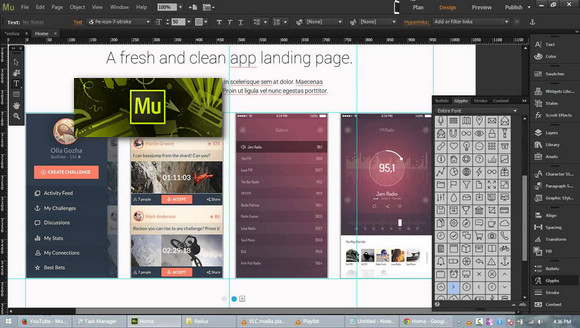
Stay true to your creative roots and easily design stunning websites — without writing a single line of code.
Rediscover freedom and efficiency. The new version allows you to design and publish websites that automatically adapt to all screen sizes.
Create responsive web pages with design tools that now offer better support for scrolling effects across all screen sizes.
The new Adobe Comp CC integration lets you create layouts on your iPad or iPhone, then finalize and refine your web designs in Adobe Muse.
Add animated transitions and attractive scrolling effects, fade in and out your design elements, etc.
Import native files Adobe Illustrator directly from a local disk or remote server without having to export them in SVG format.
Configuration:
– Windows (x64 Bits): 7 SP1, 8, 8.1,10
– Processor: Intel Core 2 or AMD Athlon 64
– RAM: 2 GB
– Disk space: 2 GB
Facility :
1. Disconnect from your internet connection and install Adobe Muse.
2. Add the Muse directory to the exclusions in your antivirus (as a precaution).
3. Copy and replace " amtlib.dll in the installation directory
C:\Program Files\Adobe\Adobe Muse CC 2017
- Language : English / French
- Size : 779.5 MB
This article was updated on November 9, 2016