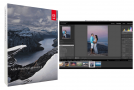
Adobe Photoshop Lightroom CC is a very complete photo editing software that will satisfy everyone's requirements.
Adobe and Apple are battling it out in the field of tools for professional photographers. Initially available on Mac OS X, Lightroom aims to be a response to Apple's Photos software, the successor to Aperture.
Adobe Photoshop Lightroom CC is not a tool for everyone; it is primarily intended for professionals and semi-professionals, particularly for managing Raw files. However, with the increasing availability of DSLR cameras, some amateur photographers may want to try it, although many will more readily opt for Picasa or ACDSee (note that the latter also offers a professional version).
The software boasts a comprehensive and user-friendly interface, where the photo being edited is surrounded by highly precise retouching tools. Lightroom allows for numerous modifications to optimize your photos: white balance, exposure adjustment, noise reduction, perspective and distortion correction, as well as adding watermarks or editing EXIF or IPTC data.
But it doesn't stop there! In addition to supporting a very large number of cameras and publishing your photos on Facebook, Flickr and SmugMug, it integrates support for video files from SLR cameras.
With each update, Adobe Photoshop Lightroom CC is enriched with new features and in this Creative Cloud 2015 version offers the creation of HDR images, the creation of large panoramas, the design of optimized web galleries as well as total control of colorimetry.
Configuration:
Platform: Windows 10, 8.1, 8, 7, Vista, XP (64-bit)
Intel Core 2 or AMD Athlon 64 processor (2 GHz or higher)
2 GB of RAM (8 GB recommended)
2 GB of available disk space
1024 x 768 resolution (1280 x 800 recommended), 16-bit color, and 512 MB of VRAM (1 GB recommended)*
OpenGL 2.0 compatible system
Facility:
0. Close the internet connection.
1. Run as administrator » Lightroom_6_LS11 » and launch it.
2. Select "Test" and then click "Connect", the following message appears: "Your internet connection is not working".
Click "Log in later" at the bottom and accept the license agreement. Then click "Install".
3. Close the program.
4. Run Update (AdobePatchInstaller.exe) and then close.
5. Apply the patch (adobe.snr.patch-painter.exe) to the Adobe CC 2015 Universal Patcher 1.5 folder.
6. Select Adobe Photoshop Lightroom CC 2015 x64 software in the top right corner.
7. If you get an error message then correct the destination path of the file in case you installed it; in the default folder.
8. To change the language, go to preferences.
9. Uncheck the update box in the same folder.
10. You can drop the Adobe folder onto the desktop.
11. Open the internet connection.
- Language: Multilingual
- Size: 992.67 MB
This article was updated on December 4, 2016