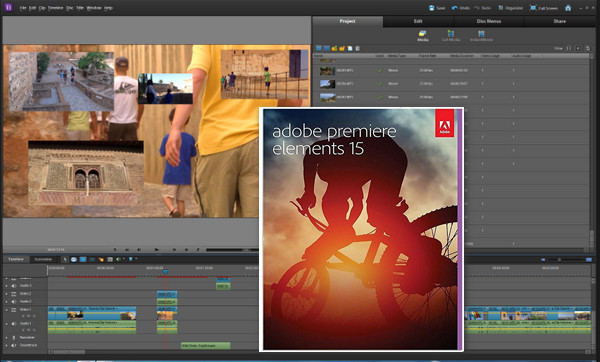
Adobe Premiere Elements 15 lets you create stunning videos using user-friendly editing options.
Your videos capture your special moments and family activities. With Adobe Premiere Elements 15, easily create and share amazing videos using tools that automate organization and editing.
Ranking
Find videos even more easily based on the location where they were shot, the event filmed, and the album or favorite in which they are classified.
Retouching
Transform your raw footage into exceptional movies you'll never tire of. Easily remove unwanted footage, sharpen your videos in seconds with the new haze removal tool, adjust color and lighting, and quickly edit your movies with simple drag-and-drop. Premiere Elements can guide you or do the work for you.
Creation
Create, among other things, dynamic collages using photos and videos of highlights from your life, instant movies by simply selecting a theme, and complete video stories retracing important events.
Sharing
Share your videos with your loved ones on the medium of your choice: disc, HD television, YouTube, Facebook, Vimeo, etc.
What's new
– Bring your collages to life
– Eliminate the fog
– Adjust the music to the desired length
– Easily give your video a unique dimension
– Exceptional videos in just a few clicks
– Embrace touchscreens to produce stunning videos
Configuration:
– Windows (64Bits): 7/8/8.1/10
– 2 GHz processor or faster
– 4 GB of RAM
– 5 GB of available hard drive space
– Audio and video driver compatible with Microsoft DirectX 9 or 10
Facility :
IMPORTANT: Disconnect from the internet before starting!
1- Launch the program “PremiereElements_15_LS31_win64.exe”.
– Click on “Next” (Extract Adobe Premiere Elements into…).
– Please wait for file preparation and file extraction (for a few minutes).
– Once finished, select “Launch Adobe Premiere Elements 15”.
– Click on “Finish”.
2- Please wait a few moments during the "Installation program initialization".
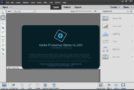
– A “Welcome” window appears.
– Select “Test”, then “Log in”, then “Log in later”.
– Next, accept the software contract.
– Choose the installation location and language, then click “Install”.
– Please wait while the installation is complete, then click “Close”.
3- DO NOT LAUNCH THE SOFTWARE!
– Launch the program “amtemu.v0.9-painter.exe” (as administrator).
– In the “Application Name” field, enter “Adobe Premiere Elements 15”.
– In the “Application LEID” box, enter “V7{}PremiereElements-EMT15-Win-GM”.
– In the “Version” box, enter “15.0”.
– Click on “Install”.
A window will display "Search file". Go to the Premiere Elements 15 installation directory.
(by default C:\Program Files\Adobe\Adobe Premiere Elements 15) and select "amtlib.dll".
– A window displays “Do you want to open the configuration file to edit it?” ".
– Click on “No”.
– Leave the program.
4- The software is now ready to use. You can reactivate your internet connection!
- Language: Multilingual (French included)
- Size: 1.98 GB
This article was updated on October 17, 2016