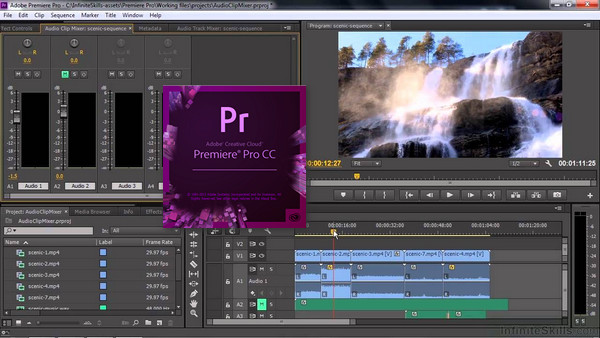
With this leading video editing software, you can edit virtually any type of media in its native format and create professional productions with vibrant colors for film, television, and the web.
New products
Simplified collaboration with Team Projects
Team Projects lets editors work simultaneously on productions in real time through their video applications. With integrated version control, conflict resolution, and workflow management features in Premiere Pro CC, After Effects CC, and Prelude CC, teams can collaborate from anywhere. Now available to Creative Cloud Team and Enterprise customers.
Enhanced subtitles
New subtitling features allow you to manipulate text, change duration and placement, and create subtitles from scratch.
Lumetri Color Panel Optimization
Thanks to the new color pickers, you can make direct selections when using secondary HSL colors. You can also work with HDR10 files and benefit from improved support for color space metadata.
Dynamic Link Acceleration
The performance gains limit intermediate rendering and increase the frame rate during playback.
Smart virtual reality mode
Premiere Pro automatically detects whether your virtual reality video is monoscopic, side-by-side stereoscopic, or top-down stereoscopic, and applies the appropriate settings.
Direct publication on Behance
Publish videos to your Behance portfolio without having to export or upload them.
Dynamic Link with Character Animator
Eliminate intermediate renders and gain speed when using Character Animator, After Effects, and Premiere Pro together.
Improvement of dynamic text templates
Take advantage of a new file format that allows you to share dynamic text templates between Premiere Pro and After Effects without needing a separate After Effects license.
New onboarding experience
A new start screen gives beginners the opportunity to view a completed video sequence, follow tutorials, or use an optimized project template to learn how to master the application.
Typekit font synchronization
You no longer need to manually search for missing fonts now that they are automatically synchronized and updated from Typekit.
Audio effects in Audition
The quality of the new real-time audio effects guarantees better results and more faithful reproduction.
Keyboard shortcut mapping
Use a visual map to quickly find, adjust, and customize keyboard shortcuts.
Simplified assimilation
Group multiple elements from your camcorder into a single file to facilitate the management of your media.
Performance gains
Work faster than ever with improved Apple Metal support and more GPU effects, including the Shift effect.
Importing a greater number of native formats
Premiere Pro supports new formats, including native QT DNxHD/DNxHR (export) and RED Helium files.
And much more!
You will also benefit from new interface elements, a button to disable special effects, etc.
Configuration:
– Windows (x32/x64 Bits): 7 SP1, 8, 8.1,10
– Processor: Intel Core 2
– RAM: 4 GB
– Disk space: 8 GB
Facility :
1. Disconnect from your internet connection and install Premiere Pro.
2. Add the Premiere Pro directory to the exclusions in your antivirus software (as a precaution).
3. Copy and replace " amtlib.dll in the installation directory
C:\Program Files\Adobe\Premiere Pro CC 2017
- Language : English / French
- Size : 1.3 GB
This article was updated on December 7, 2018