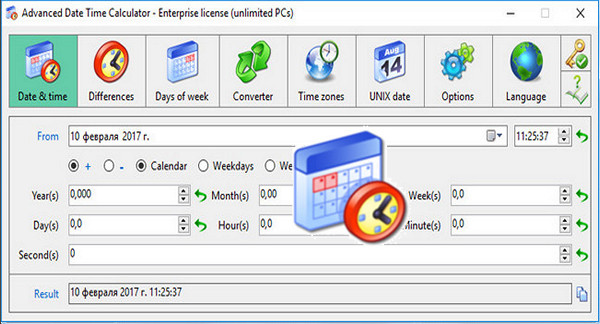
A date and time calculator that can also display the difference between two values or convert years, months, weeks and days into other parameters.
A complete date calculator:
– Obtain the result time by adding/subtracting
– Obtain differences between two times
– Count the days of the week, working days, and weekends
– Conversion between different time elements
– See Time for all time zones in the world
– Unix/Linux Date Calculator
– View the results immediately
New features:
* Important: possibility to define weekends (Sun-Sat list), the default value is Sun and Sat).
* Important: The "Date and time" module allows you to add/subtract weekdays or weekends.
* Important: The "Time Zones" module now supports selecting the base time zone for comparison, allowing you to directly compare up to three time zones. Previously, it only displayed the local time zone and could not be changed.
* Important: The "Time Zones" feature can remember the base time zone and the two other "Compare with" time zones, in order to quickly compare commonly used time zones in the future.
* Now, the "Copy" function of "Time Zones" supports copying time zone information.
* Optimized the "Get / Retrieve your (free) license" functionality – use the self-service to retrieve it instantly; there is no longer any need to wait for us to verify it and send it back to you manually.
* Lengthening of the [Second (s)] result of the "Differences" module.
* Optimized English software texts (interfaces and message boxes), in particular, standardized the initial capital.
* Added the appropriate icon to all system message boxes, and all these message boxes support to close.
* Uses the new company logo on the "About…" interface.
Configuration:
– Windows (x32/x64 Bits): XP, Vista, 7, 8, 8.1, 10
– Processor: 1 GHz
– RAM: 512 MB
– Disk space: 2 MB
Facility :
1. Install the program adtc.exe
2. Enter the activation key found in the file Key.txt
Language Multilingual (French included)
Size : 0.7 MB
This article was updated on March 3, 2017