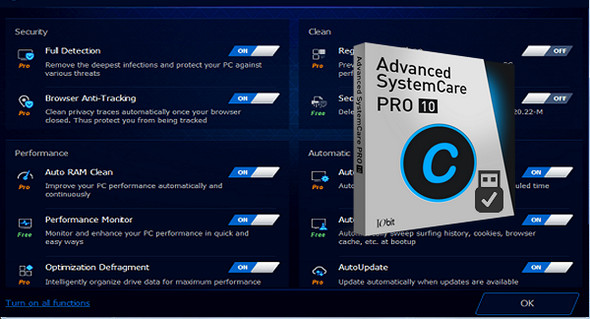
Advanced SystemCare 10 PRO provides an all-in-one PC optimization utility, specializing in ONE-Click solutions to: clean, repair, speed up and protect your PC.
IObit Advanced SystemCare 10 features the New Performance Monitor, which can free up memory with a single click to smooth out PC performance in seconds. It also offers other effective tools, such as the new Boot Manager, a one-click solution to noticeably reduce system boot time by optimizing unnecessary startup processes and services.
• Allows your PC to operate at optimal performanceIt fully optimizes Windows for ultimate system performance and superior internet speed by unlocking your system's built-in power, based on how you use your PC and your network setup. It transforms your PC into a business PC, a productive workstation, an entertainment center, a gaming machine, or a scientific computing computer.
• Defends PC security with extra protectionDetects and analyzes the Windows security environment. Scans for and removes spyware and adware using up-to-date definition files to prevent spyware infections. Clears and updates your PC's activity history.
• One click to solve up to 10 common PC problemsAdvanced SystemCare inherits the ease of use of previous versions, with more powerful capabilities. With a single click, it scans and repairs ten PC problems and protects your PC from hidden security threats.
• Real-time optimization with the ActiveBoost functionActiveBoost, a technology that actively works in the background, intelligently manages system resources in real time, constantly detects inactive resources and optimizes CPU and RAM usage.
• Over 20 dedicated smart tools for daily PC maintenanceAdvanced SystemCare integrates IObit's latest toolkit, with over 20 intelligent tools dedicated to everyday PC maintenance as well as advanced needs. The toolkit functionality includes system cleaning, optimization, and repair tools, security enhancement tools, and tools for complete system control.
• Cloud technology to keep the database up to dateThe new "Cloud" technology ensures that the database is always up to date so that you can benefit from the latest definitions and configurations.
• Power your PC for work and playYou now have two Turbo Boost options: Work Mode and Game Mode. Furthermore, you can now adjust the settings for each mode from the main screen.
• Cleaning and optimization of the next-generation registrySafely cleans the registry of junk, compacts registry puffs, and defragments the entire registry for maximum performance. Finds and fixes registry errors that other utilities miss with "Deep Scan" technology.
• Works automatically in the backgroundThis powerful utility runs continuously, automatically, and silently in the background on your PC. You can schedule the program to run regularly or let it run automatically when your PC is idle.
• New user interface technology For faster startup and less resource usage! With the new UI technology, Advanced SystemCare will start up faster while using fewer system resources.
• New architecture and rewriting of source code for 32-bit / 64-bit systems! These improvements will allow your PC to run more efficiently and stably, stabilizing even older systems.
• Enhanced care module with more powerful cleaning and optimization functionsNew developments in the "Care" module include features such as "Start-up Optimization", which will scan and clean your PC much more efficiently.
• Powerful hard drive defragmentationFast, powerful and incredibly efficient defragmentation function for defragmenting hard drives – up to 10 times faster than other defragmentation tools.
Configuration:
– Windows (x32/x64 Bits): XP, Vista, 7, 8, 8.1, 10
– Processor: 1 GHz
– RAM: 512 MB
– Disk space: 80 MB
Facility :
1. Install the program advanced-systemcare-setup.exe
2. Close the program by right-clicking on the icon in the notification area and clicking " To leave"
3. Go to the folder " Activation and launch ACS Pro Patch XX bit.exe", depending on your system's architecture
4. Open ASC, click on " Enter code and enter any serial number contained in the file keys.txt" .
5. You will see a message saying that it was not possible to connect to the server, simply press " OK" .
6. Execute " Reg Iobit Unninstaler.reg » to activate the pro version.
Portable version:
1. Run portable\ACS.exe
2. Click on " Enter code and enter any serial number contained in the file keys.txt" .
3. You will see a message saying that it was not possible to connect to the server, simply press " OK" .
4. Run " Reg Iobit Unninstaler.reg » to activate the pro version.
Language Multilingual (including French)
Size : 99.7 MB
This article was updated on March 21, 2017