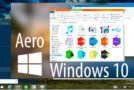
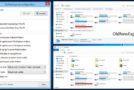
With Aero Glass, you can completely change the appearance of your window borders without affecting your Windows theme. It uses the native Direct3D device to render various effects, such as window shadows, caption glow effects, rounded edges, or simply changing the appearance of caption buttons. You can modify all these changes directly from the Windows Color Control Panel.
Your windows will be rendered with transparent borders. The key element is blurring the content behind the glass edges to prevent it from being too bright and distracting. The result is a very smart window border! All color settings adjusted in the Windows Control Panel are respected; use the color intensity slider to adjust the amount of transparency. All features controlled via the DWM API (e.g., DwmEnableBlurBehindWindow or DwmExtendFrameIntoClientArea) are supported, including the taskbar and custom Start menu effects.
This library tries to utilize all available DWM resources as much as possible to minimize RAM and VRAM usage. No redundant objects are created, and no background services run. The result is a lightweight library that behaves exactly like Aero Glass in Windows 7. No performance degradation!
General characteristics
– Apply a glass-like appearance to the window frames
– Blurring of background content to improve the user interface experience
– Change the amount of transparency directly in the Control Panels
– Change the inactive color of window borders
– Window skins (add glow, shadows, etc.) without changing the Windows theme
– Fully native, including MSStyle themes and DWM API compatibility
– Low resource utilization
Configuration:
– Windows (x64 Bits): 10 (up to Win10 10.0.17134)
– Processor: 1 GHz
– RAM: 1 GB
Language : Multilingual
Size : 9.4 MB
This article was updated on September 10, 2021