Amazing Slideshow Maker is an easy-to-use tool that lets you create stunning slideshows on your computer by adding photos, videos, and audio files. Amazing Slideshow Maker supports HD/1080P/4K Ultra HD video output.
It's packed with effects, including zoom, crop, fade, pan, and much more to bring your slideshows to life. Up to 80 free animated templates are provided. It also offers numerous decorative effects for photos and videos. You can publish your slideshow as an SWF/HTML file, executable, screensaver, video file, or HTML5 video.
Why do you need Slideshow Maker software?
If you want to create photo/video slideshows for a birthday party, family reunion, family vacation, summer holiday, wedding, memorial service, presentation, slideshow module, work, Instagram story, Facebook, YouTube, television, website, funeral, and much more, Amazing Slideshow Maker software will be your best choice.
How to create a slideshow using Amazing Slideshow Maker software
You can create slideshows in 4 steps.
– Step 1: Upload photo/video files. You can edit photo and video files, such as adjusting brightness/contrast, rotating photos, cropping images/videos, adding effects (Grey, Invert, Sculpture) and adding a hyperlink.
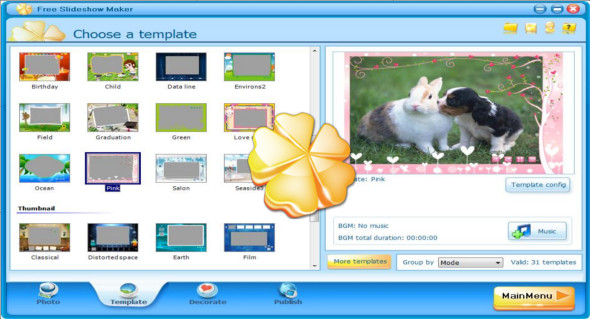
– Step 2: Choose a template. You can install more templates. It allows you to add music files from a local computer.
– Step 3 decorates your slideshow. You can add text/clip art/custom clip art/sound to photos/videos and select a transition for each added photo/video file.
– Step 4 publishes your slideshow in various file formats. You can preview the slideshow on its interface or browse through it before conversion.
Configuration :
– Windows (x32/x64 Bits): XP, Vista, 7, 8, 8.1, 10
– Processor: 1 GHz
– RAM: 1 GB
Language : Multilingual (French included)
Size : 46.0 MB
This article was updated on February 28, 2019