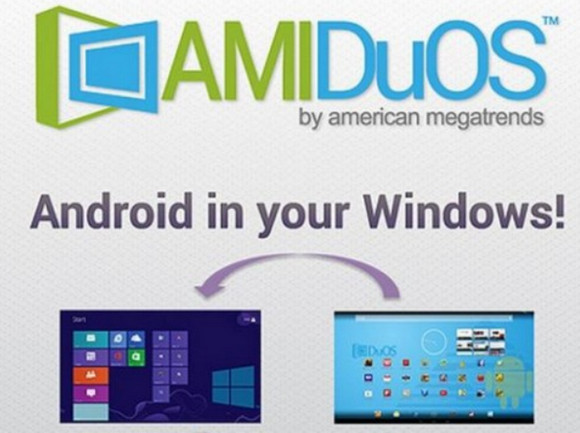
The software gives you access to a pre-installed Google Play Store from which you can download the applications you want.
A complete Android experience:
AMIDuOS is nothing less than the complete Android experience, with all the features
of the latest version of the popular mobile operating system.
It is fast, fluid and limitless because it runs at 100% in native Android on your Windows hardware!
Application compatibility:
AMIDuOS supports 3D acceleration, so you can enjoy a superior Android gaming experience in Windows.
It uses Windows OpenGL drivers to improve frame rates to support graphics-intensive games.
Performance:
The applications primarily operate in native x86 mode to provide peak performance.
and ARM emulation is only performed if needed.
This helps to maximize battery life.
Device support:
AMIDuOS leverages device drivers from Windows to enable near-native performance in Android, but it also supports key devices and sensors from Windows hardware, including high-definition cameras, audio, and microphones.
Tablet Functions:
AMIDuOS provides a complete Android tablet experience with multi-touch and gesture support such as Pinch and Zoom, with a full software keyboard.
It also supports Compass and GPS features, enabling multitouch map navigation.
Desktop and Laptop Functions:
In Desktop mode, AMIDuOS offers full keyboard support, including keyboard shortcuts.
The screen orientation can be changed to portrait mode for applications that require it.
AMIDuOS also supports simulated Ethernet and WiFi to provide network access for Android applications.
File Storage and Sharing:
File sharing between Windows and Android is also supported in AMIDuOS, so you can easily share photos, videos, and music between the two modes.
AMIDuOS also supports SD card emulation and allows you to configure the SD card size with an easy-to-use configuration tool.
New products
– Added User Interface to configure FPS.
– Added support for Xposed Framework.
– Added COM port support in AMIDuOS.
– Added an improved version of DuOS Input Mapper.
– Added Screenshot support in AMIDuOS (button next to the minimize button).
– Added support for setting IMEI and MODEL in AMIDuOS Configuration Tool.
– USB storage: Fixed the indication of the correct total space and available space in the settings.
– Correction: The original file was deleted from Windows when it was edited in Android.
– Fixed problems with some apps.
– Minor camera issues fixed.
Configuration:
– Windows 7, 8, 8.1, 10 (32-bit & 64-bit)
– 1 GHz processor
– 2 GB of RAM available (3 GB recommended for good performance)
– Graphics driver with OpenGL 3.0 or higher
– .NET Framework 4.0 or higher
– Hardware Virtualization Technology (VT) to be enabled in the BIOS
– Minimum 2 GB of free hard drive space
Facility:
– Uninstall any previous version –
1. Open the Setup folder corresponding to your version of Windows, either "Setup x64" or "Setup x32".
2. Install by running "DuOSInstaller.exe". Do not launch the application.
3. Copy the contents of the "Crack" folder that correspond to the Setup you have chosen into:
C:\Program Files\AMI\DuOS\
OR
C:\Program Files (x86)\AMI\DuOS\
4. Also copy the contents of the "Crack" folder to C:\PROGRAMDATA\AMI\DuOS\apps
5. Launch AMIDuOS by clicking on the icon or via the Windows Menu and minimize the window.
6. Install the Google Play Store by right-clicking on "gapps-L-4-21-15.zip" and clicking on "Apply to AMIDuOS" to start the upgrade.
(This is a native ZIP package for AMIDuOS – do not unzip!)
To fully root AMIDuOS –
Launch AMIDuOS.
– Enable Root Mode from “Settings” => “AMIDuOS Configuration Tool” => “Advanced” => “System” => “Root Mode”
(or click on the file "C:\Program Files\AMI\DuOS\DuOS Configuration Tool.exe")
- Language: Multilingual
- Size: 566.2 MB
This article was updated on August 11, 2016