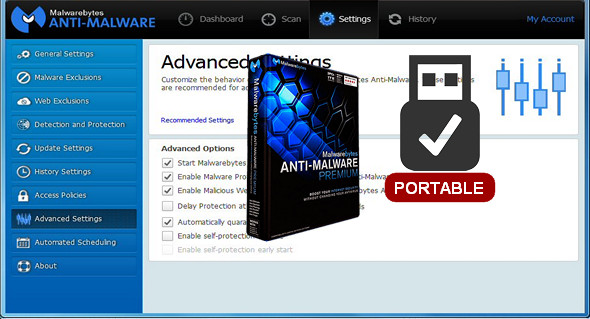
Malwarebytes Anti-Malware Premium crushes these threats with innovative technologies designed to defend you while keeping your online experience fast and hassle-free.
Cleanses infections
Detects and removes malware on an infected computer using anti-malware, anti-spyware, and anti-rootkit technology. Scans for the latest and most dangerous threats. Safely removes malware.
Prevents future infections PREMIUM
It runs continuously in the background, interrupting infections before they occur. It automatically clears and stops attack attempts.
Blocks malicious PREMIUM sites
Stop sites that provide malware or sites compromised by malware.
Faster PREMIUM Scans
Targets only active threats in Hyper Scan mode for faster analysis.
Features
• Anti-malware and anti-spyware
• Proactive heuristic search engine
• Small system footprint
• Malicious blocking of the site
• Three scanning modes
• Compatible with existing security solutions
• Management console
• Enterprise scales (thousands of endpoints)
• Push installation functionality
• Active Directory integration and synchronization
• Virtual Deployment Simulator
• Email notifications
Problems solved:
• Fixed a security vulnerability to ensure that database updates are only downloaded over SSL connections
• Fixed an issue where the scheduled analysis did not respond correctly to the weekly recurrence
• Fixed an issue where the scheduler would continue running in some cases after a process expired
• Fixed an issue where the dashboard update progress bar appeared to freeze and should never complete
• Several improvements to Chameleon's self-protection
New in version 2.2.1.1043 Rev3 DC 18.03.2017:
* Use of Anti-Malware v3 databases
Configuration:
– Windows (x32/x64 Bits): XP, Vista, 7, 8, 8.1, 10
– Processor: 1 GHz
– RAM: 512 MB
– Disk space: 30 MB
Portable version:
Do not run the tool if Malwarebytes is installed on the system and is currently running.
1. First of all, add the 2 lines to your hosts file :
0.0.0.0 serius.mwbsys.com
0.0.0.0 keystone.mwbsys.com
2. Launch the file MalwarebytesPremiumPortable_2.2.1.1043-Rev3.exeThe installer is Russian, click on the button in the bottom left corner.
3. Run the file MalwarebytesPortable.exe (which is located in the installation directory)
– To change the language, click on the gear icon (at the top) and choose the language from the drop-down list on the right.
View the file Installation procedure.jpg in the downloaded files
Language Multilingual (including French)
Size : 35.6 MB
This article was updated on April 3, 2017