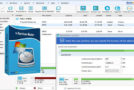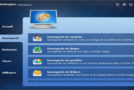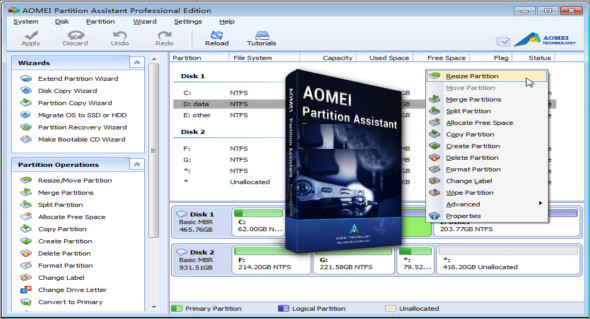
AOMEI Partition Assistant is an easy-to-use, all-in-one hard drive partitioning software that provides comprehensive functionality for creating, resizing, moving, copying, deleting, erasing, aligning, formatting, merging, splitting, and much more. Built-in, step-by-step wizards allow you to easily complete complex operations, including copying partitions and cloning the entire hard drive.
AOMEI Partition Manager allows you to quickly expand available hard drive space to increase the capacity of your original partition. The smart migration wizard can easily help you migrate your operating system to another hard drive, including SSDs and HDDs, without reinstalling the operating system and applications.
Creating a bootable CD allows you to manage your hard drive even if the Windows operating system is out of reach or cannot start.
Features of the AOMEI partition manager:
– Resize and move the partition without data loss.
– Merge adjacent partitions into one.
– Merge the unallocated space into a partition.
– To divide a large partition into two or more parts.
– Allocate free space from one partition to another.
– Copy (clone) the partition onto the new hard drive.
– Align the partition to improve performance and disk lifespan.
– Modify the partition type ID and modify the serial number.
– Linux partition management: create, delete, format, erase, copy, restore Ext2/Ext3 partition, etc.
– Create more partitions, even without unallocated space.
– Easily delete, format, and erase the partition.
– Convert the primary partition into a logical partition and vice versa.
– Convert the FAT partition to the NTFS file system.
– Change the partition label and drive letter.
– Hide and verify the partition, clear the unallocated space.
– Define the active partition and display the partition properties.
Disk management functions:
– Copy (Clone) the disk without reinstalling Windows and applications.
– Convert MBR to GPT disk and vice versa.
– Rebuild MBR to repair or add the startup code.
– Delete the entire partition on a disk directly.
– Wipe the hard drive to permanently erase sensitive data.
– Disk surface test to check and correct bad sectors.
– Initialize the disk.
– Display disk properties.
Easy assistants:
– Extension Partition Wizard: integrated “Extend system partition” and “Select partition”.
– Disk Copy Assistant: “Quickly copy a disk” and “Sector-by-sector copy”.
– Partition copy assistant: integrated “Copy partition quickly” and “Sector-by-sector copy”.
– Migration of the operating system to an SSD or HDD: migration of the system to an SSD or hard drive and support for MBR and GPT disks.
– Partition recovery assistant: easily recovers lost or deleted partitions.
– Make Bootable CD Wizard: create a Windows PE bootable media without having to install AIK/WAIK.
– Windows To Go Creator: Install Windows 10/8 on a USB flash drive or removable disk
Supported technologies:
– Improved algorithm to ensure a faster and safer partition moving process.
– Enhanced data protection technologies to ensure data security.
– The flexible and adjustable drag & drop interface simplifies the task
– Preview partitioning tasks before applying them to the hard drive.
– Provide an option to shut down the computer after all operations have been completed.
– Supports all hardware RAID, such as RAID 0, 1, 5, 10, etc.
– Supports virtual disk partitioning in VMware, VirtualBox and Virtual PC.
– Supports most hard drive standards, such as IDE, SCSI, SATA, SAS, SSD, USB 1.0/2.0, IEEE 1394 (FireWire).
– Supports removable devices, such as USB flash drives (New!), memory cards, USB sticks, etc.
– Supports file systems, including FAT, FAT32 and NTFS.
– New! Supports MBR and GPT disks up to 4TB.
– Supports up to 32 disks in a system.
This file contains the following editions:
Professional Edition
Server edition
Unlimited Edition
Technical Edition
Compare the editions on this link
Configuration:
– Windows (x32/x64 Bits): XP, Vista, 7, 8, 8.1, 10
– Processor: 1 GHz
– RAM: 1 GB
Language : Multilingual (French included)
Size : 44.9 MB
This article was updated on August 23, 2018