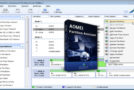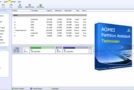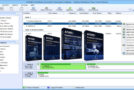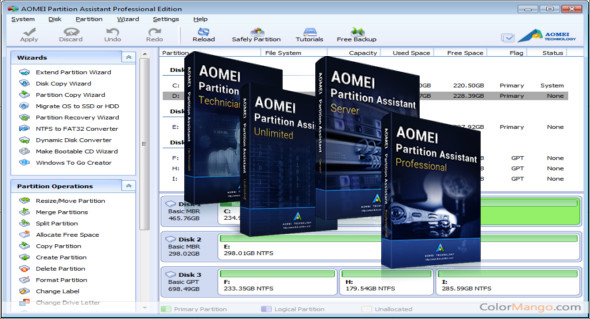
AOMEI Partition Assistant is an easy-to-use, all-in-one hard drive partitioning software. It offers a variety of partition management features for both home and business users. It provides all the necessary functionalities to create, resize, move, copy, delete, erase, align, format, merge, split partitions, and more.
AOMEI Partition Manager lets you quickly expand available hard drive space to increase the capacity of your original partition. The smart migration wizard can easily help you migrate your operating system to another hard drive, including SSDs and HDDs.
Thanks to the stable partition recovery wizard, a lost or deleted partition is no longer your problem. Creating a bootable disk allows you to access your hard drive, even if the original operating system has crashed.
Easy assistants:
– Extend Partition Assistant: the built-in functions “Extend system partition” and “Select a partition”.
– Disk Copy Assistant: “Quickly copy disk” and “Sector-by-sector copy” integrated.
– Partition copy assistant: integrated “Copy partition quickly” and “Sector-by-sector copy”.
– Operating system migration to SSD or HDD: migration of the system to an SSD or hard disk drive and support for MBR and GPT disks.
– Partition recovery assistant: easily recover lost or deleted partitions.
– Bootable CD Creation Wizard: create a Windows PE bootable media without having to install AIK / WAIK.
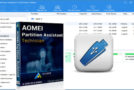
– Windows To Go Creator: Install Windows 10/8 on a USB flash drive or removable disk
Disk management features:
– Support for file systems, including FAT, FAT32 and NTFS.
– Support for virtual disk partitioning in VMware, VirtualBox and Virtual PC.
– Copy (clone) the disk without reinstalling Windows and applications.
– Convert an MBR disk to a GPT disk and vice versa.
– Rebuild the MBR to repair or add startup code.
– Delete all partitions on a disk directly.
– Wipe the hard drive to permanently erase sensitive data.
– Testing the disk surface to check for and repair bad sectors.
– Initialize the disk.
Configuration:
– Windows (x32/x64 Bits): XP, Vista, 7, 8, 8.1, 10
– Processor: 1 GHz
– RAM: 1 GB
Language : Multilingual (French included)
Size : 11.7 MB
This article was updated on November 6, 2018