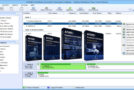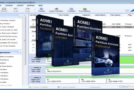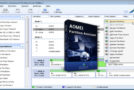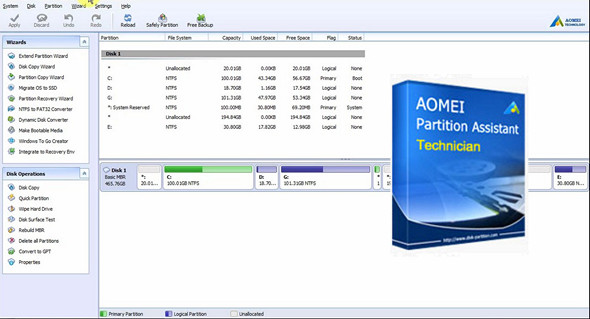
AOMEI Partition Assistant Technician is a useful, standalone tool for managing hard drive partitioning. It is designed for internal use in managing large groups of computers and servers distributed across multiple locations. AOMEI Partition Assistant is specifically designed for IT professionals, system administrators, and technicians.
Reliable partition and hard drive manager to optimize the performance of your servers
– Innovative and proven disk partitioning technology – easier, faster and more secure.
– All-in-one utility – partition manager, disk tool, OS migration and cloning software.
– Support for the latest technologies – Windows Server 2012 R2, GPT / UEFI and dynamic disk.
Server Partition Extension Not Rebooted
To minimize production server downtime, AOMEI Partition Manager Server offers two key features that allow you to extend partitions without shutting down and restarting the server. This enables you to resolve low disk space issues while ensuring business continuity.
Full range server hard drive partitioning
To optimize your server's disk usage, AOMEI Partition Software for Windows Server includes a set of features that allow you to quickly partition the hard drive or change the partition size without losing data on the server.
OS server migration and disk partition copy
To enable your server to benefit from and keep up with the latest hardware, i.e. SSD and 2TB + hard drive, AOMEI Migration and Copy Wizards are the best way to update your system and data storage device.
Disk partition, file system converter
– Change the disk style from MBR to GPT without data loss, and vice versa.
– Change the disk type from dynamic to basic without data loss, and vice versa.
– Change the file system from NTFS to FAT32 without data loss, and vice versa.
– Change the partition from primary to logical without data loss, and vice versa.
Integrated Wizards (step-by-step)
– Quick search helps you quickly recover deleted or lost partitions.
– The full search will analyze every sector of the selected disk for recovery.
– Create a Windows PE bootable CD/DVD or USB without installing Windows AIK.
– Troubleshoot server problems and recover data when the native system fails to boot.
– Create the bootable Windows 8TB Go USB drive without Windows 8 Enterprise.
– Create a portable and fully functional Windows 8 system on a USB flash drive.
What's new:
– Added “SSD Secure Erase Wizard”: securely erase your SSD to reset the SSD to its factory state for maximum performance.
– Enhanced Windows To Go Creator: helps to choose a system in the WIM file.
– For added security, a restriction has been added to resize/move the boot partition in Windows 10, version 1703 and later, in both Windows and PreOS environments. However, there is no such restriction in the Windows PE environment.
– Bug fix: error code 6 occurs when converting between MBR and GPT.
– Bug fix: an encrypted disk will be initialized.
– Correction of other known bugs.
Configuration:
– Windows (x32/x64 Bits): XP, Vista, 7, 8, 8.1, 10
– Processor: 1 GHz
– RAM: 512 MB
– Disk space: 50 MB
Portable version:
Launch the file PartAssist.exe
Language Multilingual (including French)
Size 20.5 MB
This article was updated on August 24, 2017