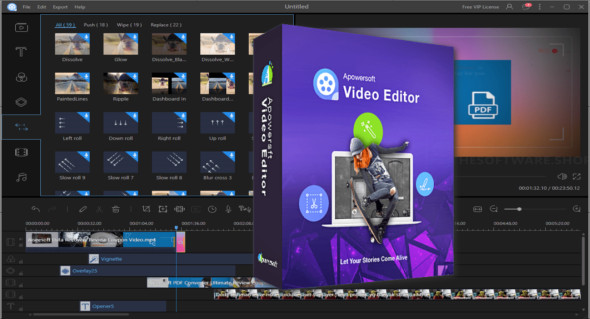
ApowerEdit is a powerful application for editing videos and combining short clips and images to create slideshows and movies. It's a simple and very easy-to-use video editing application.
ApowerEdit Video Editor is a powerful video editing application that offers a variety of powerful tools and options, allowing users to easily gain complete control over their videos. With this application, you can combine images and short clips to create slideshows and use various filters and overlays to enhance videos. You can also use Movavi Video Editor Plus.
This is a comprehensive video editing application with a variety of video editing tools, filters, and effects. You can adjust contrast, hue, saturation, and various other aspects of your videos. Users can also flip, rotate, and add motion to slideshows. You can adjust video speed and various audio settings. Add text messages, speech bubbles, frames, and transition effects to your videos, and perform various other editing tasks with ease. Additionally, add snow effects and disco lighting to frames. Prepare content for playback on different devices and export videos to various formats.
ApowerEdit Features
– Powerful application for creating videos
– Various video effects and filters
– Combine images to create slideshows
– Timeline function for precise video editing
– Adjust the contrast, hue, saturation and more.
– Supports all common media formats
– Rotate and flip the videos
– Add text bubbles, frames, and transition effects
– Export clips for Android and iOS devices
– Many other powerful editing features.
Version : Pro 1.7.0.12 / Laptop: Pro 1.6.9.9
Language : Multilingual (French included)
Size : 70.54 MB / Portable: 193.03 MB
Configuration:
– Windows (x32/x64 Bits): 7, 8, 8.1, 10
ApowerEdit Pro 1.7.0.12
ApowerEdit Pro Portable 1.6.9.9
This article was updated on April 7, 2021