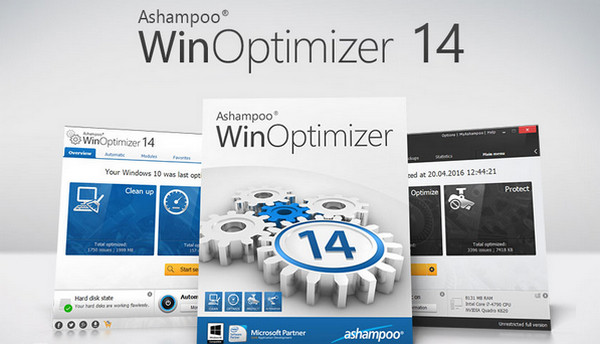
Ashampoo WinOptimizer 14 is the best choice when it comes to cleaning, optimizing, and protecting your PC. It frees up disk space, fixes errors, and ensures consistent performance. WinOptimizer takes care of eliminating Windows' shortcomings, giving you a faster, cleaner, and more streamlined system. Numerous automatic functions make its setup a matter of just a few clicks, requiring no prior knowledge!
"One-click" optimization:
Your preferred modules will kick in precisely when they're needed! The brand-new AutoClean instantly removes files that are no longer required! Your system will remain fast, lean, and secure – exactly as you'd expect from Ashampoo WinOptimizer.
General information:
* A look for an optimally clear presentation
* Improved user experience via a restructured start page with better program feedback
* Improved user experience
* Excellent gaming performance at the click of a button with Game Booster
* Easily manage system policies with User Rights Manager
* Improved performance, more efficient memory usage
* With Restore System Manager, conveniently manage system restore points
* Save and restore all changes with Backup Manager
* Speed up every application launch with Live Tuner running in the background
* Wizard-guided optimization with Tuning Assistant
* Optimization automation runs with Task Scheduler
Your computer deserves the best!
* Maximum performance automatically
* Maximum privacy protection
Get rid of unnecessary and bulky data
* Reliable system failure (risk) warnings
* Maximum security against system failures
* Fix Windows problems (errors) with a single click
* More space on your hard drives
Configuration:
– Windows: Vista to 10 (32/64-bit)
– Single-core processor (or better) 1 GHz (or faster)
– 2GB RAM
– 100 MB for installation
– Microsoft .Net 4.0 Framework
Facility:
1- For an Intel x86 or x64 computer, run: winoptimizer x86 x64.exe
2- Choose your language, then do not launch the software!
3- Copy the ash_inet2.dll file into this directory:
C:\Program Files (x86)\Ashampoo\Ashampoo WinOptimizer 14
4- When asked "do you want to replace?", say yes
- Language: Multilingual (French included)
- Size: 31.3 MB
This article was updated on September 10, 2016