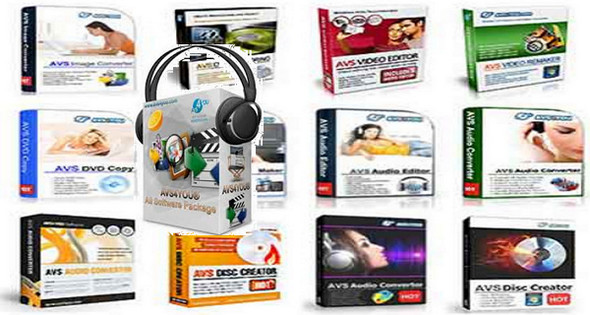
This pack contains all the software from the publisher AVS4YOU. AVS4YOU software allows you to rip, convert and edit audio/video files, burn DVDs, create ringtones, transfer video to portable devices, etc…
Specialized software:
AVS Video Converter : 9.5.1.600
Convert video to all major formats with AVS Video Converter. Create HD and Blu-ray videos with enhanced menus. Convert files for various devices and upload videos to popular websites directly from the program interface.
AVS Video Editor: 7.5.1.288
Edit your video recordings and create your own movie with just a few drag-and-drop steps. Enhance your videos with effects, menus, and sounds to give them a professional look.
AVS Video Remaker: 5.1.1.187
Edit video files without re-conversion. Trim unwanted parts of video recorded by PVR, DVR, and DVD camcorders. Create DVDs and Blu-rays with menus.
AVS Media Player: 4.4.1.119
Play your video/audio files on your computer. All formats are supported: MPEG-4 (DivX, Xvid, etc.), MPEG-1, 2, AVI, RM, QuickTime, WMV, H.263, H.264, 3GP, 3GP2, MP4.
AVS Audio Converter: 8.3.2.575
Convert various audio files: WAV, PCM, MP3, WMA, OGG, AAC, M4A, AMR etc. Add additional information.
AVS Audio Editor: 8.3.2.515
Edit and record audio data, convert to different audio formats, apply effects and filters.
AVS Disc Creator: 5.2.8.542
Make backup copies of your Blu-Ray discs, CD/DVD, recover DVD-Video discs, create ISO files, burn data discs.
AVS Image Converter: 4.1.2.287
Convert multiple images to the desired format! Perform simple corrections – resizing, rotating, adjusting colors. Select from a variety of graphic effects.
AVS Photo Editor: 2.3.6.152
Enhance your photos: adjust size, zoom, change and correct colors, soften or sharpen details. Apply preset effects. Take perfect photos.
AVS Document Converter: 3.1.2.247
Convert your documents between different formats. Work with text files and images without any additional graphics applications.
AVS Registry Cleaner: 3.0.5.275
Swipe, clean, and repair your computer's Windows registry. Remove obsolete, unnecessary, or unwanted registry entries to make your PC healthier and faster.
Configuration:
– Windows (x32/x64 Bits): XP, Vista, 7, 8, 8.1, 10
– Processor: Core 2 Duo
– RAM: 1 GB
– Disk space: 300 MB
Facility :
1. Launch AVSInstallPack
2. Choose the program(s) to install
3. Once the installation is complete, launch the activator (as administrator)
4. Click on one of the two heads
5. Wait until " OK " is written in the area at the bottom left (in the activator window).
- Language : Multilingual (French included)
- Size : 253.1 MB
This article was updated on January 28, 2017