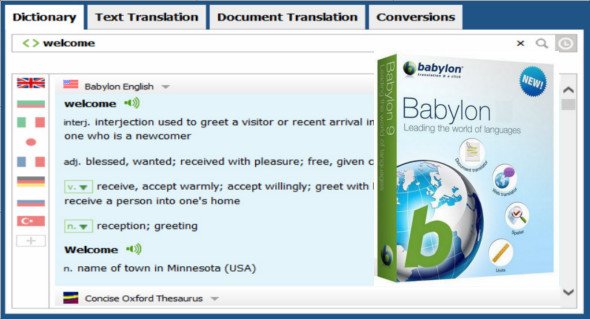
Babylon Pro is a translation software that helps you translate terms, phrases, and documents into 77 languages with a single click. With this program, you can access the power of machine translation to translate anything from a paragraph to 5,000 characters, and it also provides a dictionary and grammar checker.
Translate documents
Babylon's document translation feature lets you upload any Microsoft Office document and automatically translate it back into its original form! No more wasting time copying, pasting, or rewriting your text. This feature is convenient and easy to use. Choose between uploading the document to the desktop translator by clicking the "Translate Documents" tab or translating the document directly from your selected Microsoft Office application by clicking the Babylon Document Translation button in the menu bar.
Full text translation
Translate an entire text by clicking on it or simply copying and pasting it into your desktop translator. The desktop tool will automatically determine the language of the inserted text. All you have to do is choose your preferred translation language to get instant and accurate translation results, without having to switch windows.
OCR (Optical Character Recognition)
OCR works with any text on the screen! With Babylon NG, you can click on a word in your browser, a word in a scanned PDF, or even an image! Babylon will recognize the word and translate it into your chosen language, all with a single click!
Conversions
Need to convert measurements, currencies or time units? Everything is right here!
Configuration :
– Windows (x32/x64 Bits): XP, Vista, 7, 8, 8.1, 10
– Processor: 1 GHz
– RAM: 1 GB
Language : Multilingual (French included)
Size : 66.4 MB
This article was updated on December 19, 2018