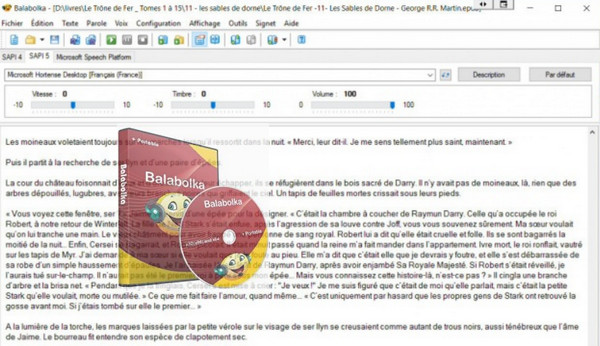
The Balabolka program allows text files to be read aloud. To reproduce the human voice, any speech synthesizer installed on a computer can be used.
The reproduction of the human voice is controllable using standard buttons similar to those of any multimedia program: "play", "pause", "stop".
The program is capable of reproducing the contents of the clipboard, displaying the text contained in texts with the extensions AZW, AZW3, CHM, DjVu, DOC, EPUB, FB2, HTML, LIT, MOBI, ODT, PDF, PRC and RTF, changing font and color settings, managing the reading process from the program tray or using global key combinations, speaking the text typed from the keyboard, checking spelling, splitting the text file into several smaller files, and searching for homographs.
Balabolka allows you to erase all the separation signs at the end of the lines to avoid any possible snags when reading the words.
The text can be saved as a sound file (compatible with WAV, MP3, MP4, OGG, and WMA formats). The program uses various versions of the Microsoft Speech API (SAPI) speech function package. It allows users to change the speed and pitch of the speech.
Configuration:
Windows (32/64 Bits): XP, Vista, 7, 8, 8.1, 10
CPU: 500 MHz
RAM: 512 MB
HDD: 40 MB
Facility :
1- Install via the setup…
– Or use the portable version
- Language: Multilingual (French included)
- Size: 25.4 MB
This article was updated on October 12, 2016