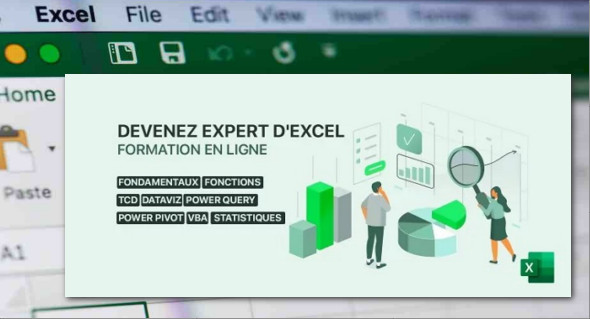
Becoming an Excel expert is the goal of this series of educational videos that offer in-depth training on all Excel-related topics. Regardless of your current Excel level, if you want to advance your skills in a specialized way, this Excel course is for you. You can also download Mastering Excel through practice.
Most Excel users don't actually utilize the program's full capabilities, but thanks to this comprehensive course covering all Excel-related topics, your skills will develop progressively and be validated through regular practical exercises. This complete Excel training covers a wide range of elements. The course is very thorough, covering key concepts and going beyond a simple list of features to extend into related topics such as data visualization and the fundamentals of statistics.
This Excel training course includes several main sections, over 305 videos, and more than 18 hours of instruction.
– Basic principles of Excel: how the workbook works, autofill, functions, cell style, handling of malformed files.
– Data exploration: advanced sorting, advanced filters, conditional formatting, pivot tables.
– Functions in Excel: changing the type, reprocessing text or dates, search functions, logical functions, error handling, locating dependencies.
– DATAViz: data visualization: choose the right visualization, run each perception, customize one.
– Pivot tables: create your own pivot tables, modify metric calculations, add a slicer and create a pivot chart.
– Perform analyses of your data: statistical reminders, use of numerical functions.
– Use Power Query and Power Pivot: import external data, reformulate, create relationships and use them in the spreadsheet.
– Learn to program in VBA: how to record a macro, introduction to VBA, table manipulation, create a dynamic model, automate tasks, create your own jobs.
– Each major section will include a DIY workshop allowing you to validate your knowledge!
– In addition, a multiple-choice questionnaire will be presented to you at the end of the training and will allow you to validate the theoretical part acquired during the training.
Format: MP4 /XLSX
Size : 2.63 GB
Language : French
Duration : 6 PM
Become an Excel expert – Excel training
This article was updated on March 19, 2021