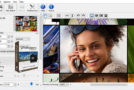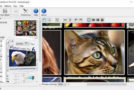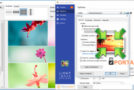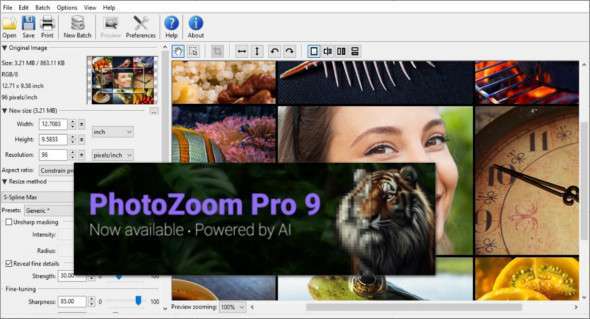
Benvista PhotoZoom is a powerful, feature-rich graphics editing application that allows you to enlarge and reduce digital photos without loss of quality. You can also use ON1 Resize.
With PhotoZoom, users can create images up to 1 million pixels. It uses S-Spline Max technology for image editing and creation, an award-winning image resizing technology that preserves sharp edges, clarity, and fine details.
This wonderful image editing tool can resize and enlarge all types of images; even compressed and noisy originals can be successfully enlarged. PhotoZoom Pro's excellent batch processing allows users to process multiple images in large quantities without losing image quality. Benvista PhotoZoom Pro 7's simple and well-managed interface allows users to edit graphics even without graphic design skills.
Overall, if you are looking for excellent software that can enlarge your image size without losing quality, we recommend Benvista PhotoZoom Pro because of its ease of use and excellent features.
PhotoZoom Pro Features
– Award-winning S-Spline Max image resizing technology
– Reveals image details, regardless of size, with or without resizing
– Higher quality image enlargements and image size reduction
– Various presets for different types of photos and graphics
– Advanced adjustment tools: create your own presets and resize profiles
– Reduces compression artifacts (JPEG) and noise in low-quality originals
– Batch processing
– Multiprocessor support and GPU acceleration
– Powerful cropping tool
– Standalone application, Photoshop-compatible plug-in, and Lightroom integration
– Extreme enlargements: up to 1 million pixels!
– Extended support for high-end images
– Split screen preview: compare different resizing methods
Version : Pro 9.0.0
Language : Multilingual (French included)
Size : 117.43 MB / Laptop: 111.58 MB
Configuration:
– Windows (x32/x64 Bits): 7, 8, 8.1, 10, 11
Benvista PhotoZoom Pro 9.0.0
Benvista PhotoZoom Pro Portable v9.0.0
This article was updated on July 19, 2024