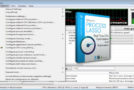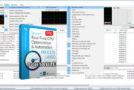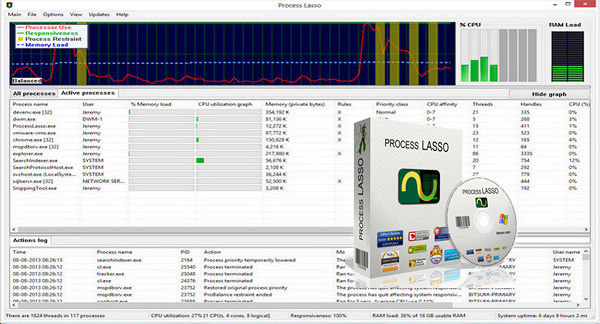
Process Lasso is a unique new technology that adapts to your processor's clock speed to improve your PC's stability. Process Lasso's ProBalance (Process Balance) technology intelligently adjusts program execution priority so that poorly trained or excessively active processes don't interfere with your ability to use your computer!
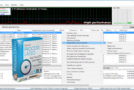
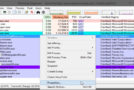
Process Lasso also offers a variety of ways to take complete control over how your CPUs are allocated to running programs. You can choose which priority processes should run and which CPUs (cores) should be assigned to them. You can also prevent certain programs from running, log all running programs, and much more.
Once you've installed Process Lasso, it will start working. More advanced users can modify the configuration, but you don't need to change anything to instantly improve your system's responsiveness and prevent stalling under heavy load.
For network administrators, Process Lasso works wonderfully on Terminal Servers and in multi-user environments. We have many clients who have been using Process Lasso on their Terminal Servers for years.
Best of all, Process Lasso is written natively in C++, not .NET. This means it consumes very few system resources – considerably less than any other similar software.
Process Lasso features:
– Prevent processes from monopolizing processors
– ProBalance dynamic priority optimization
– Removal of the processor (new)
– Record process priorities for future instances
– CPU backup process refinement
Configuration:
– Windows (x32/x64 Bits): XP, Vista, 7, 8, 8.1, 10
– Processor: 1 GHz
– RAM: 512 MB
– Disk space: 10 MB
Facility :
1. Launch the program installation:
— for 64-bit Windows, run the file processlassosetup64.exe
— for Win86 bits, run the file processlassosetup32.exe
2. Copy the file Patch.exe which is in the folder patch in the installation folder, and launch it as administrator
Portable version:
Run the portable file according to your system:
— for 64-bit Windows, run the x64Bits fileProcessLasso.exe
— For 86-bit Windows, run the x86Bits file\ProcessLasso.exe
* The program will appear in the taskbar
Language Multilingual (French included)
Size : 13.9 MB
This article was updated on March 7, 2017