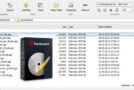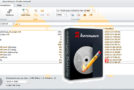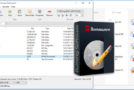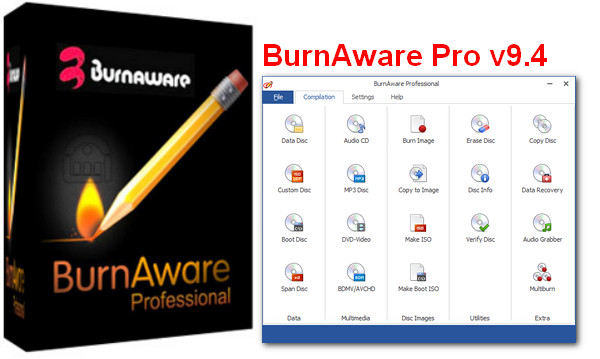
As its name suggests, BurnAware is an efficient burning utility. Quite comprehensive, it has all the features expected of this type of software. You can burn your projects onto CD-R/RW, DVD-R/+R/RW, and Blu-ray BD-R/-RE. Its clean, illustrated interface makes it easy to use, which will surely appeal to even the least tech-savvy users. The main window is divided into 15 icons, each linked to a specific task: burning data discs ("Data"), creating and burning a disc image ("Burn Image") and "Copy to Image", creating and burning standard audio CDs, MP3s, and DVD videos. "Disc Info" lets you know the hardware capabilities of your drive/burner, and "Erase Disc" handles erasing your rewritable media, either quickly or completely. In addition, you'll have access to standard burning features such as multi-session project management, write test, and, of course, data verification. Accessible and functional, BurnAware Free will satisfy a wide audience as it is compatible with Windows XP/Vista in 32 and 64 bits.
*New Features:
– Option to choose the number of copies in the Audio CD compilation.
– Automatic overwriting function in the disk copy tool.
– Confirmation to save the compilation before closing.
*Improvements:
– Installer and translation update.
– Minor improvements to the user interface and program performance.
– Minor improvements to command line support.
*Bug fixes:
– Bug with writing incorrect number of tracks, if a BIN file without a CUE file was selected.
– Bug with the 50% suspend during indirect disk copying.
– Minor bug with PDT file dates
Configuration:
Windows: XP, Vista, 7, 8, 8.1, 10 (32-bit or 64-bit)
CPU: 600 MHz (Pentium)
RAM: 128 MB
HDD: 20 MB
Screen: 800×600
Facility:
1. Install BurnAware Pro
2. Uncheck "Run BurnAware Pro"
3. Copy the files from the crack folder into the BurnAware installation folder
4. Launch BurnAware Pro
5. Use the serial number
- Language: Multilingual (French included)
- Size: 10.1 MB
This article was updated on September 15, 2016